Amazing Wellness
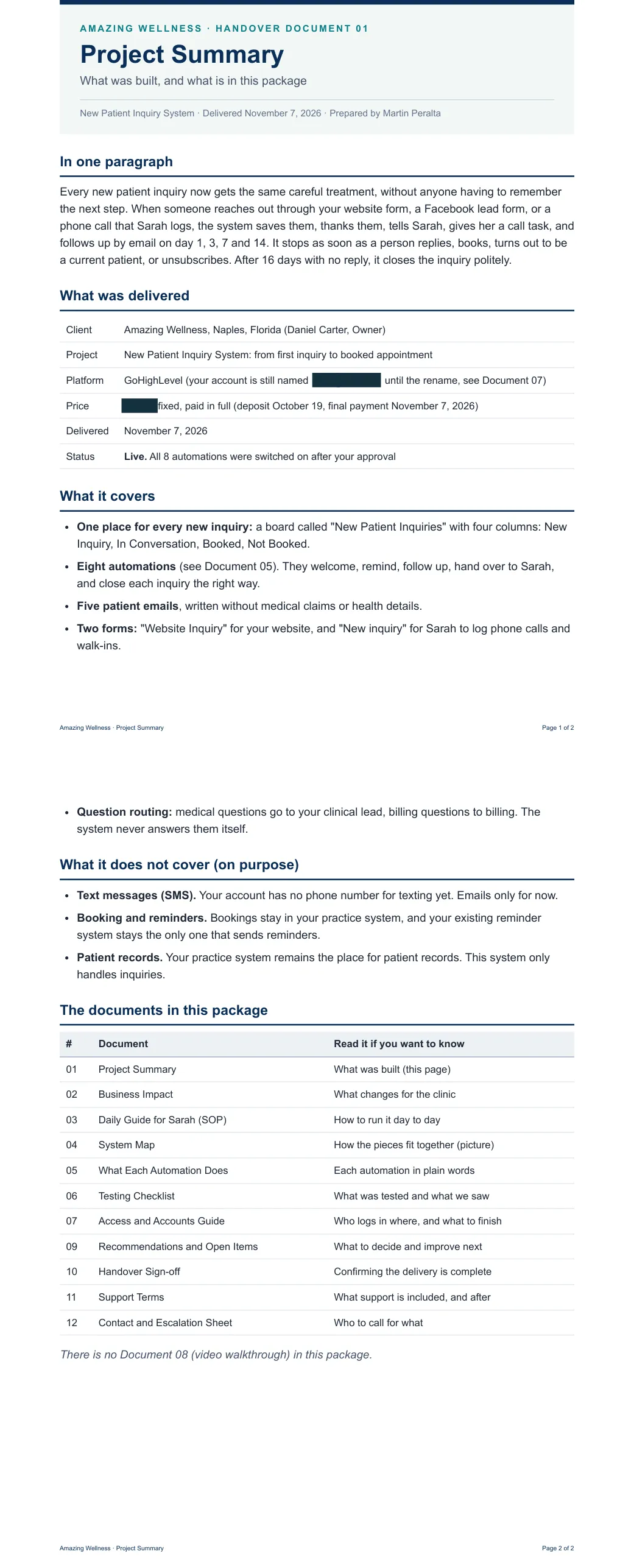
A new-patient inquiry system for a spinal-care clinic in Naples, Florida, built in GoHighLevel. An inquiry from the website, a Facebook lead form or a phone call gets a thank-you within seconds, a card on one board and a call task for the front desk. It then follows up by email on day 1, 3, 7 and 14, and stops the moment a person replies, books or unsubscribes.
Real client project. Company and staff names changed for privacy.
01Problem
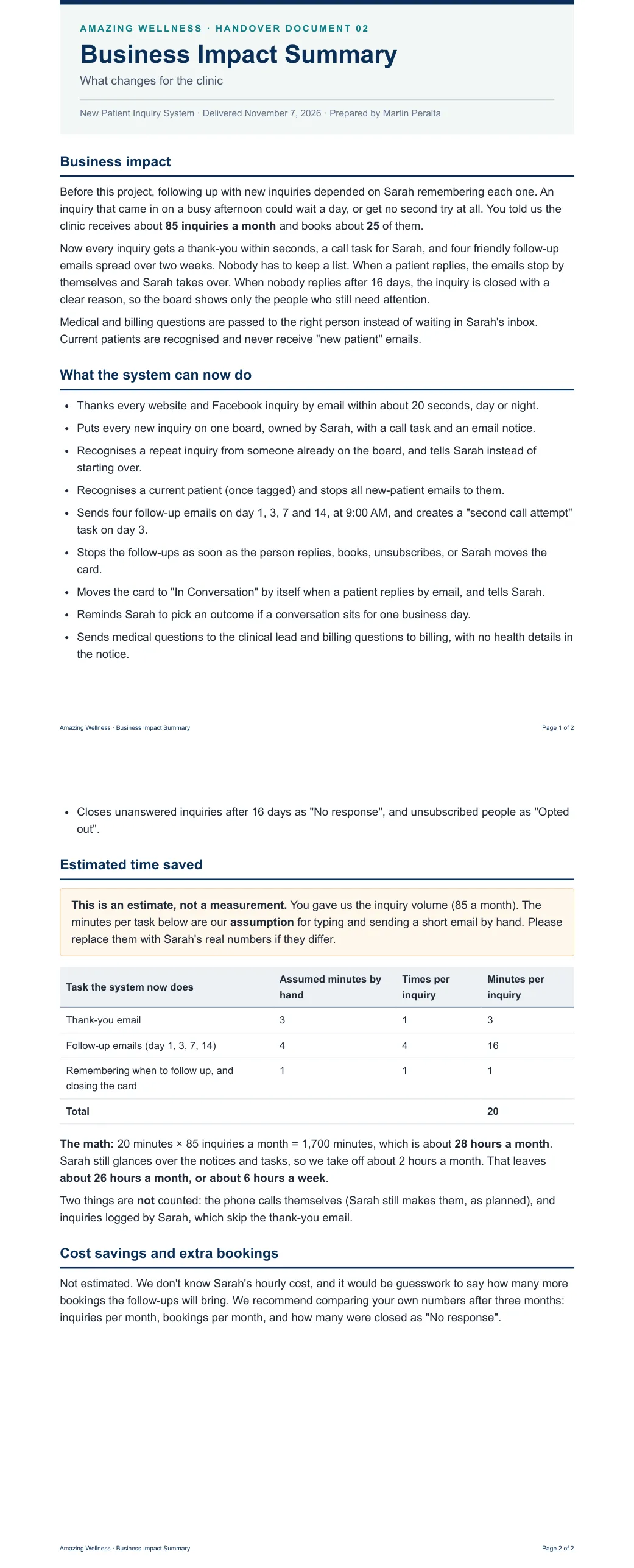
Follow-up depended on the front desk remembering. An inquiry that arrived on a busy afternoon could wait a day, or never get a second try. The clinic receives about 85 inquiries a month and books about 25 of them.
02Solution
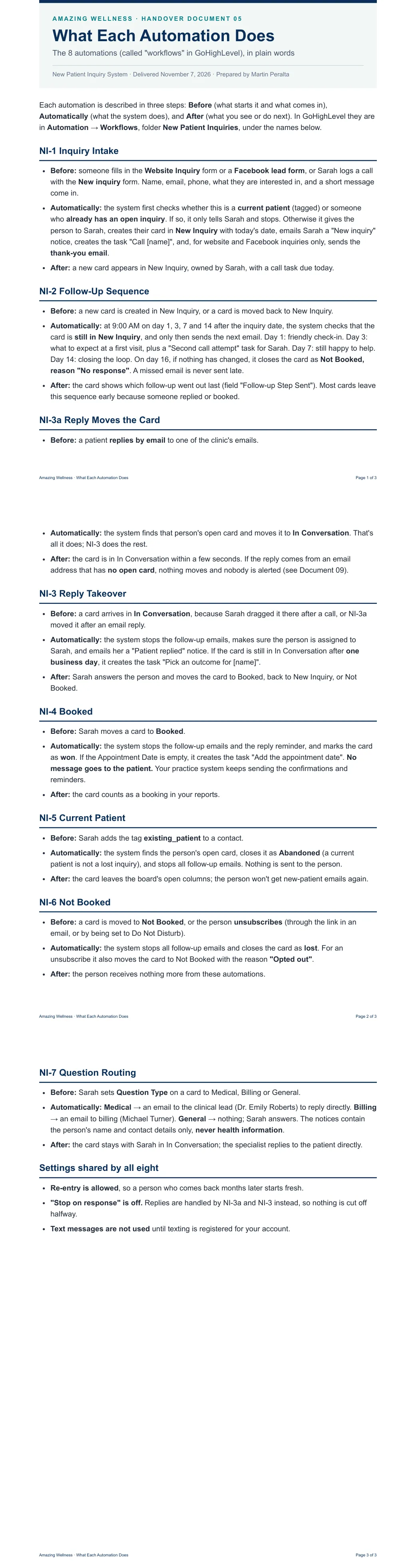
One board for every inquiry and eight small automations. Each inquiry is thanked within seconds, handed to the front desk with a call task, followed up on day 1, 3, 7 and 14 while it is still new, and left alone the moment a person replies, books or unsubscribes. Medical and billing questions go to the right person instead of being answered by the system.
03Tools
04Outcome
Hours are an estimate: the clinic’s reported 85 inquiries a month at about 20 minutes of writing, sending and remembering each, less 2 hours of checking. The clinic reported booking about 25 of those 85; every 5 points added to that rate is about 4 more booked patients a month. The speeds were measured in testing.
How it works
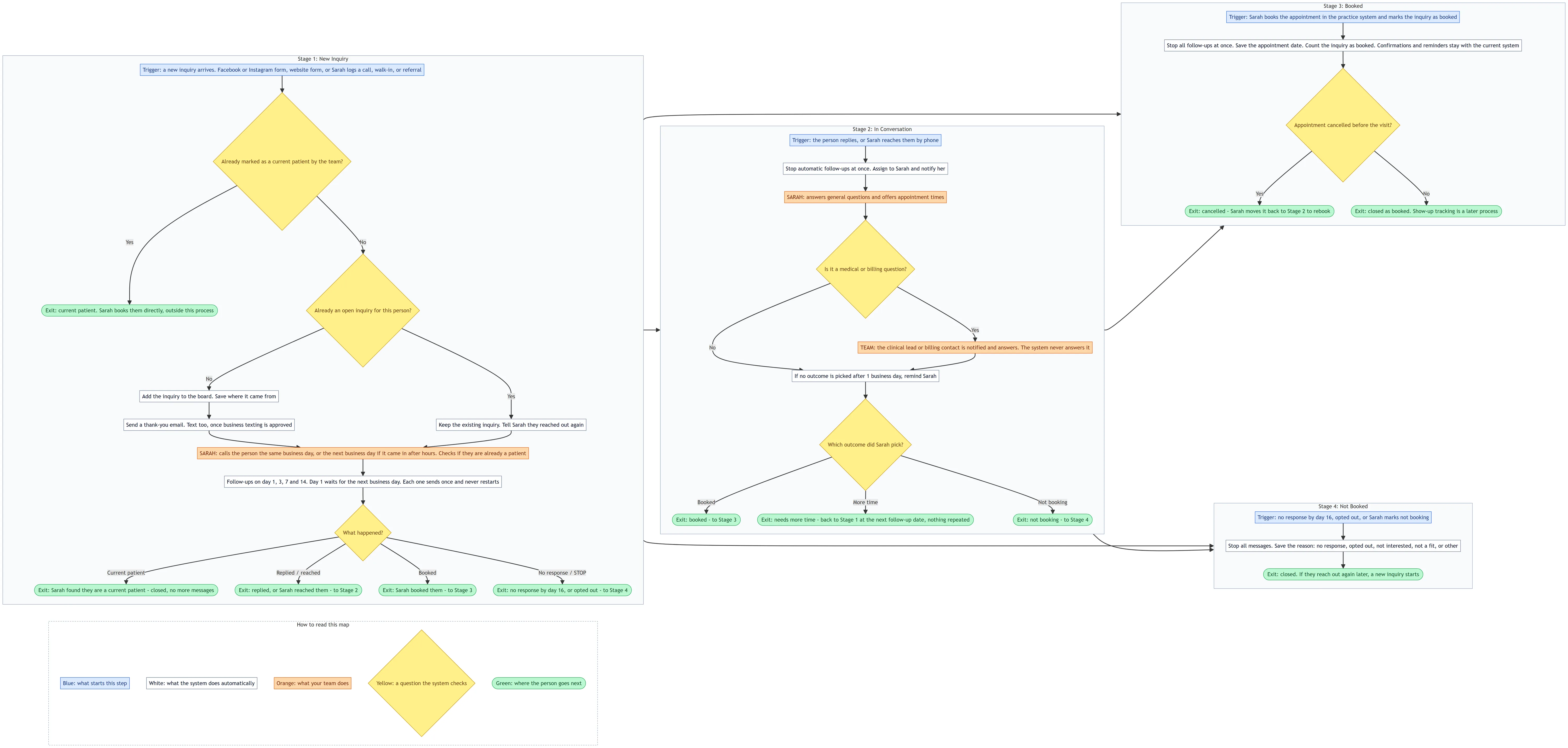
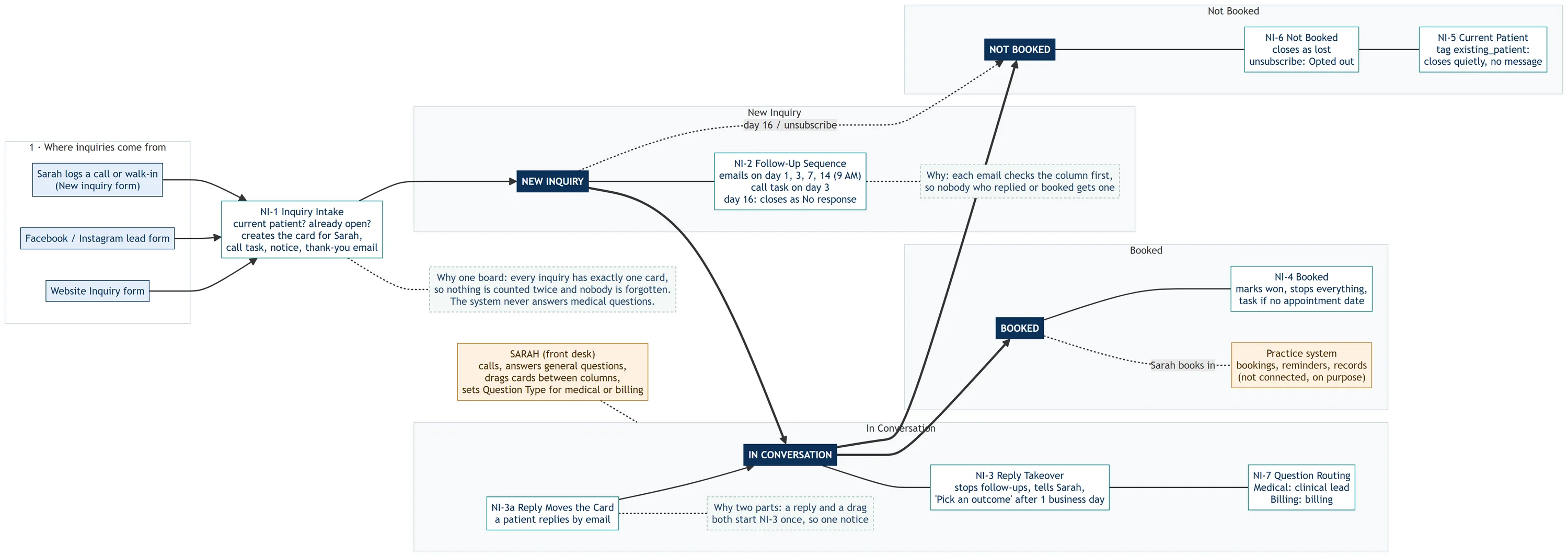
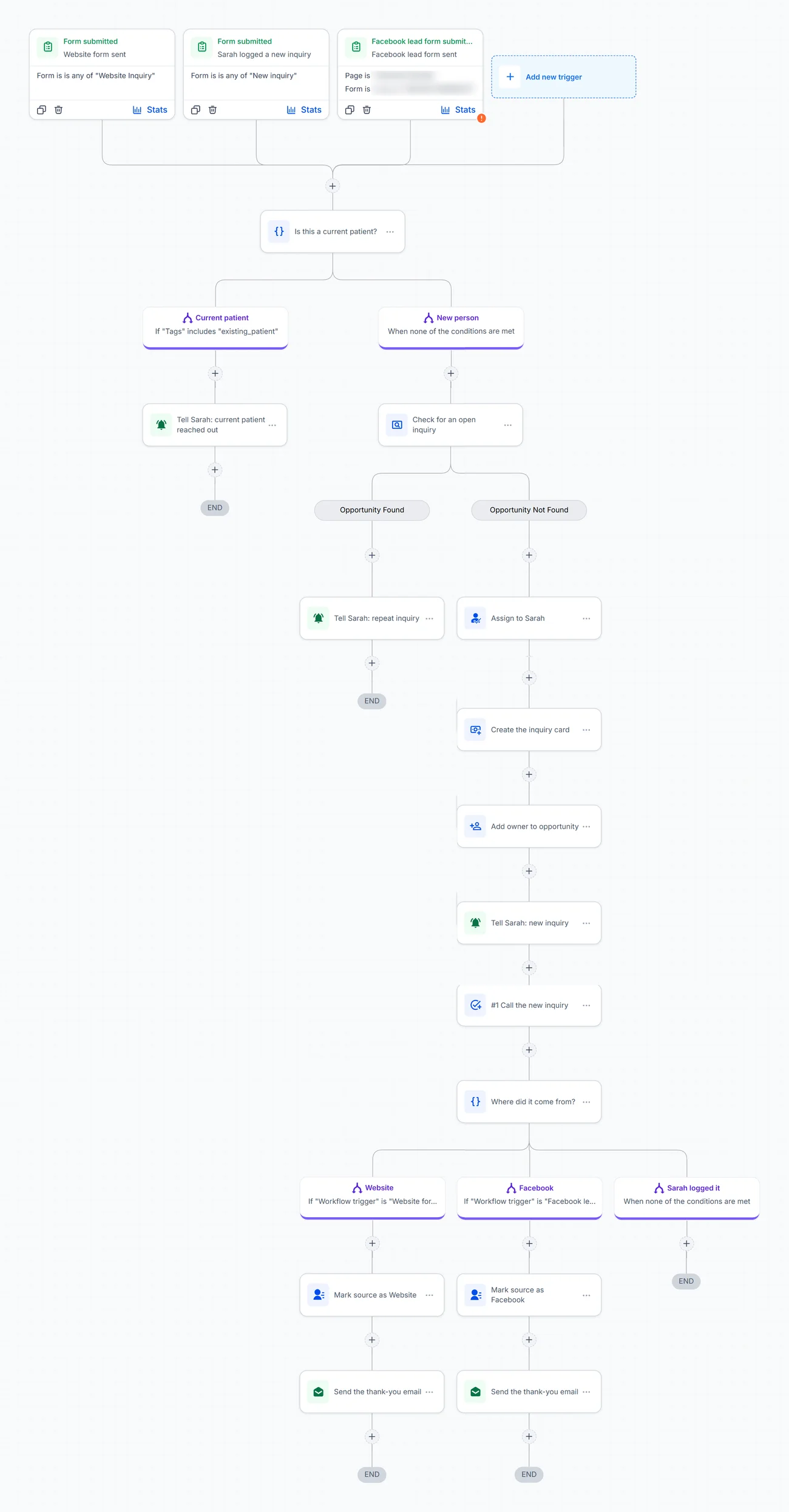
- An inquiry arrives. Through the website form, a Facebook lead form, or the form the front desk fills in when someone phones or walks in.
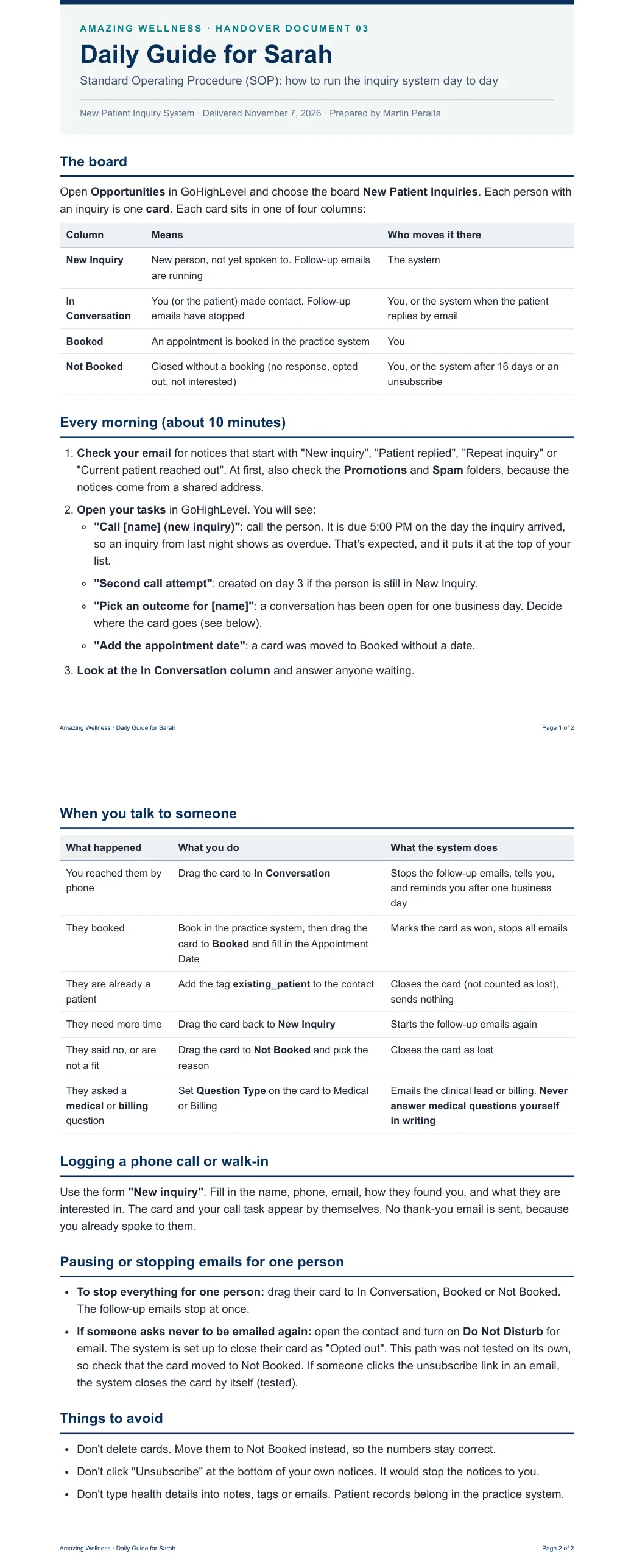
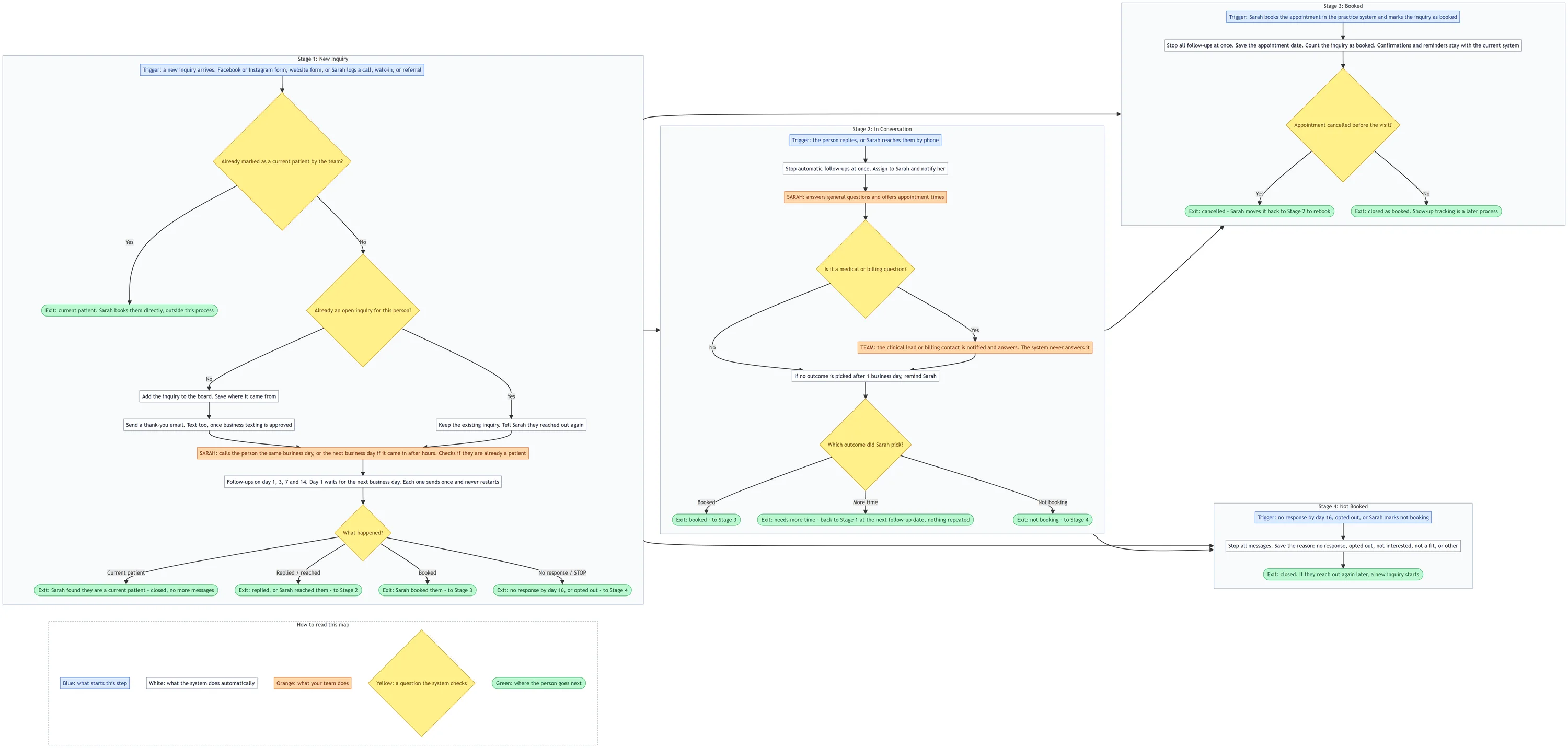
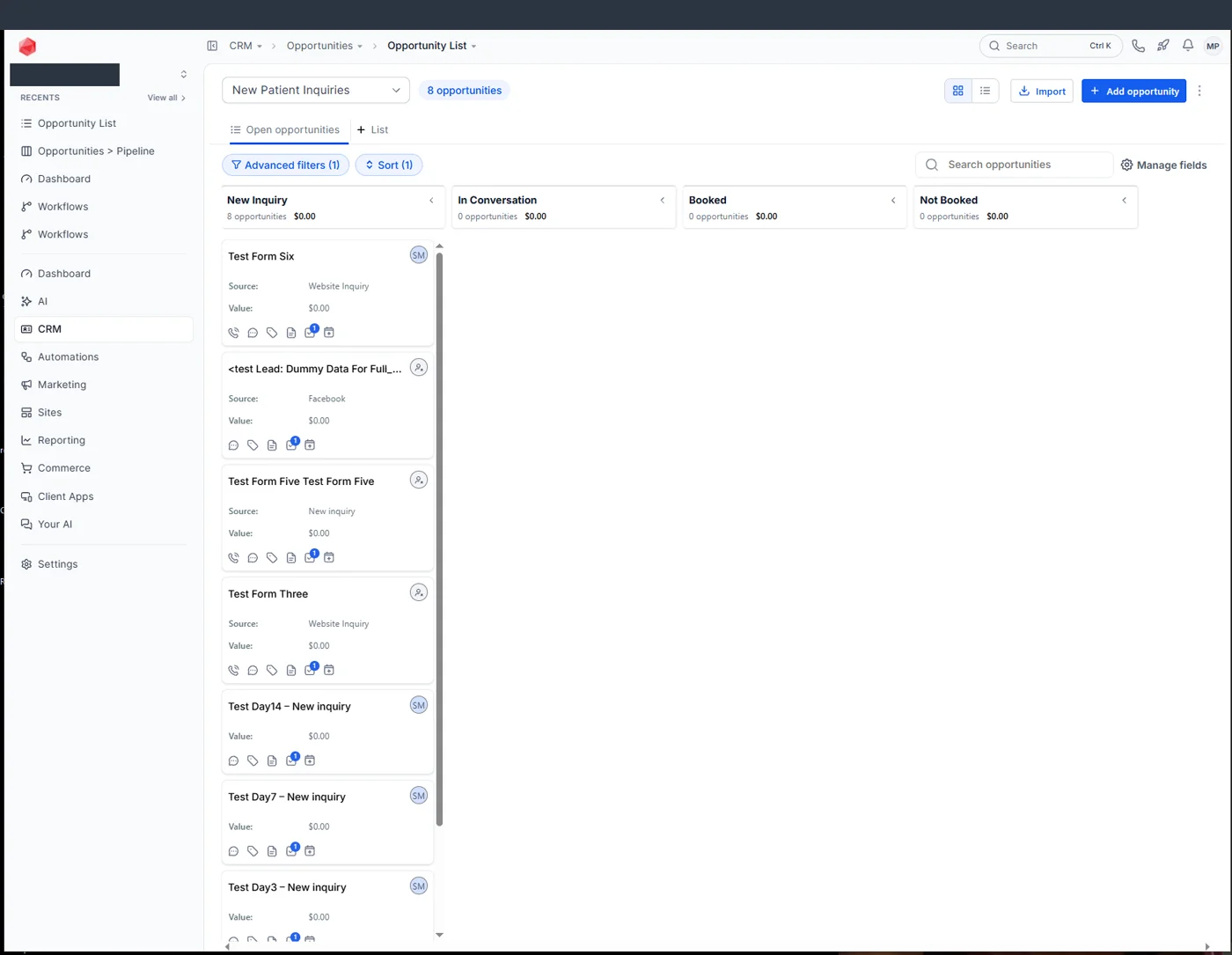
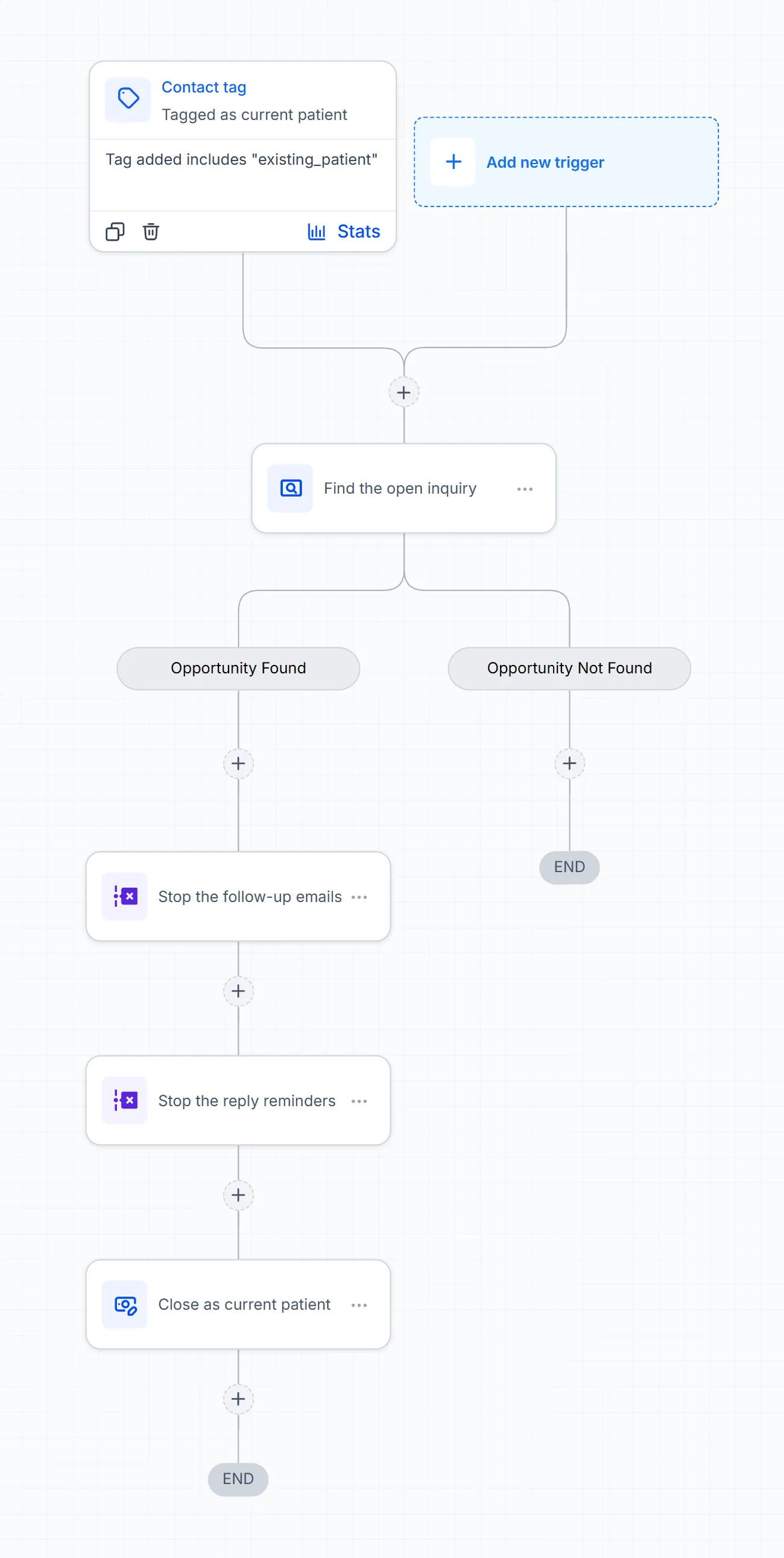
- It is checked and placed. A current patient, or someone who already has an open inquiry, only notifies the front desk. Anyone new gets a card on the “New Patient Inquiries” board (New Inquiry, In Conversation, Booked, Not Booked), an owner, a call task and a notice.
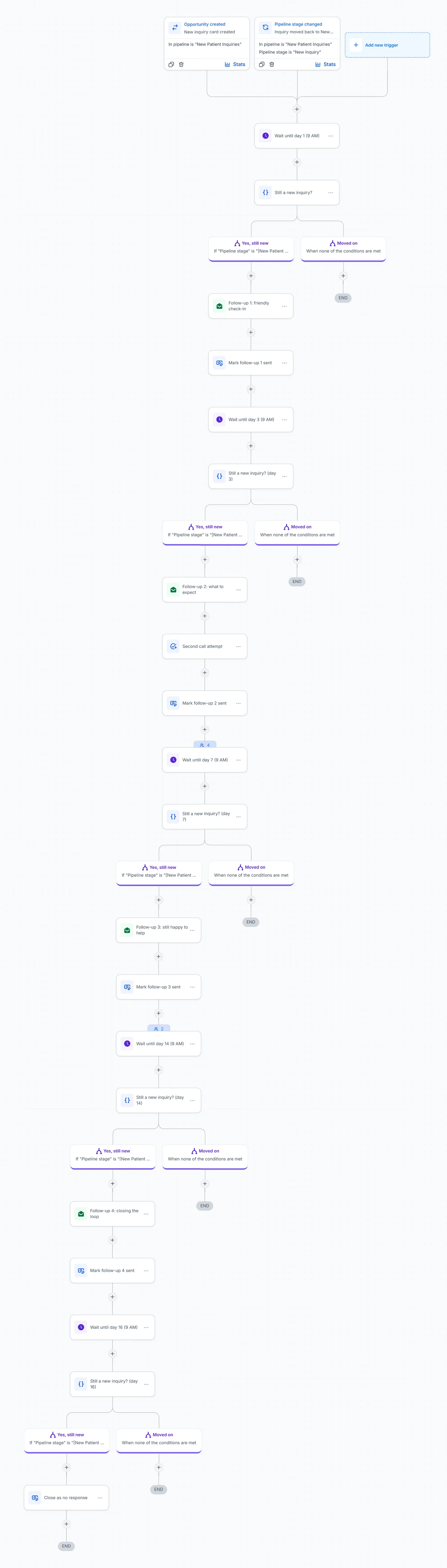
- It is thanked and followed up. The thank-you email goes out within about 20 seconds, day or night. Follow-up emails go at 9:00 AM on day 1, 3, 7 and 14, but only while the card is still a new inquiry.
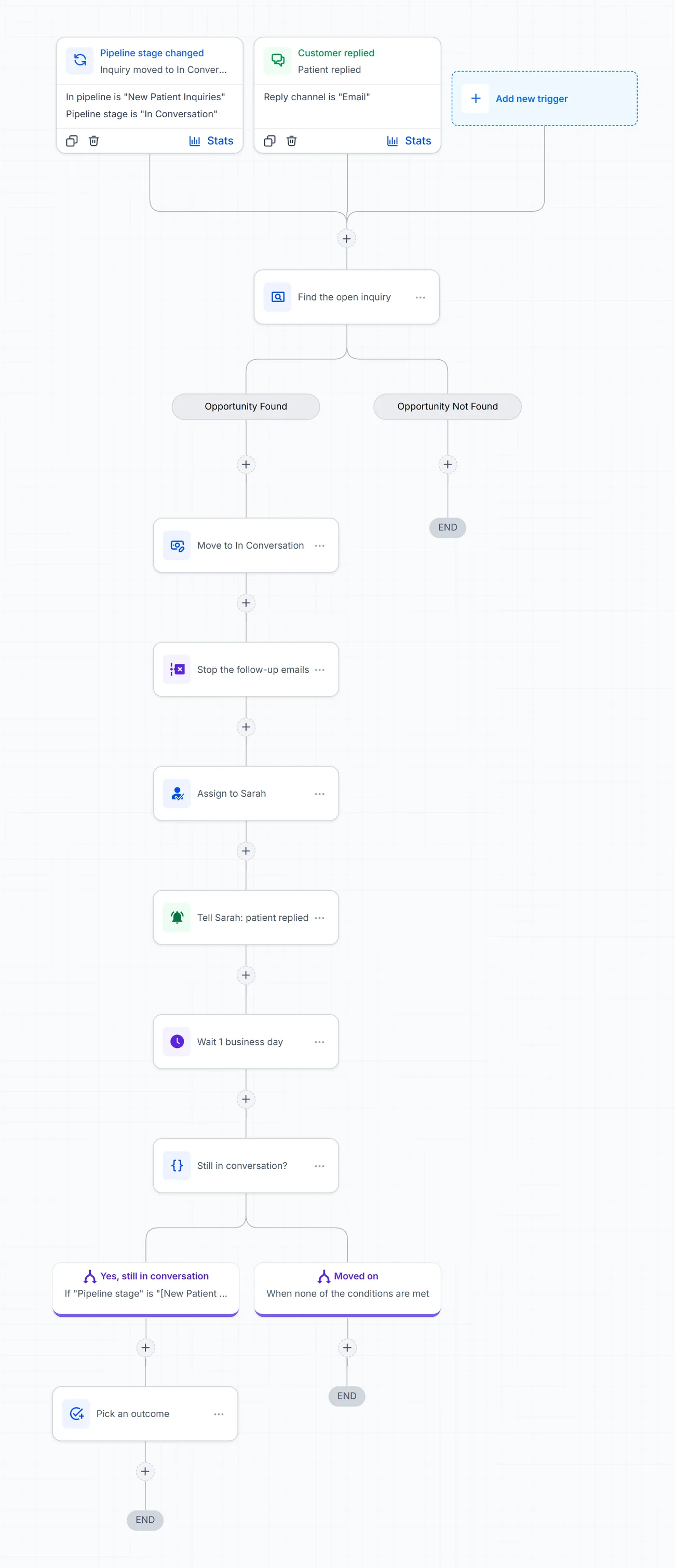
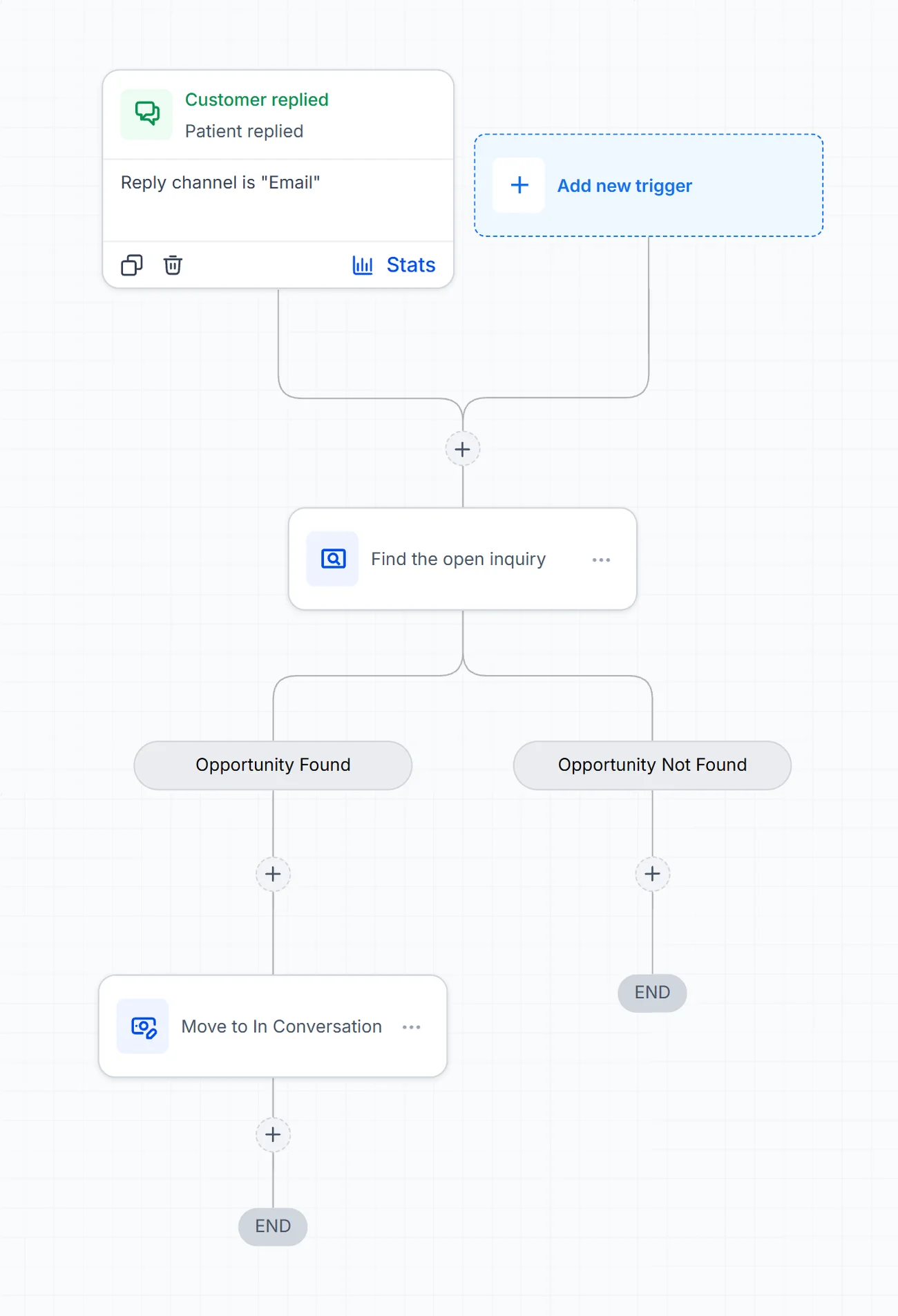
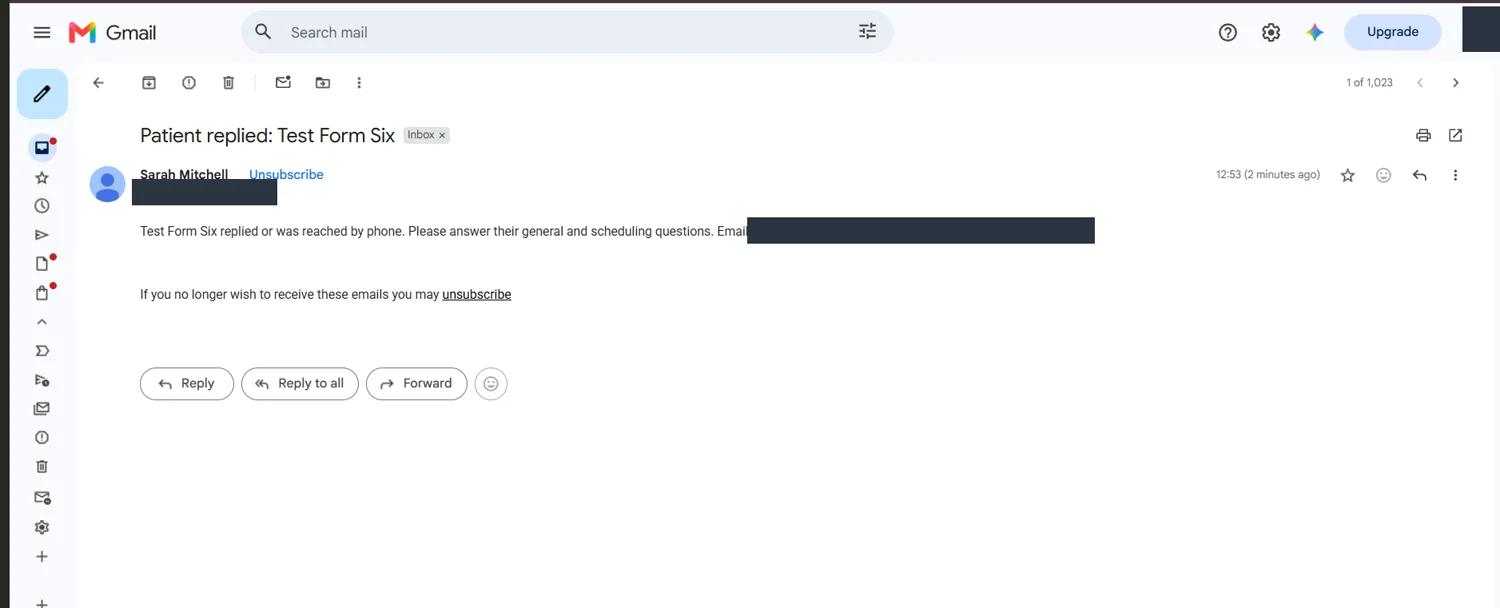
- A person takes over. When a patient replies, the card moves to In Conversation in about 3 seconds, the follow-ups stop and the front desk gets one notice. Moving the card by hand does the same.
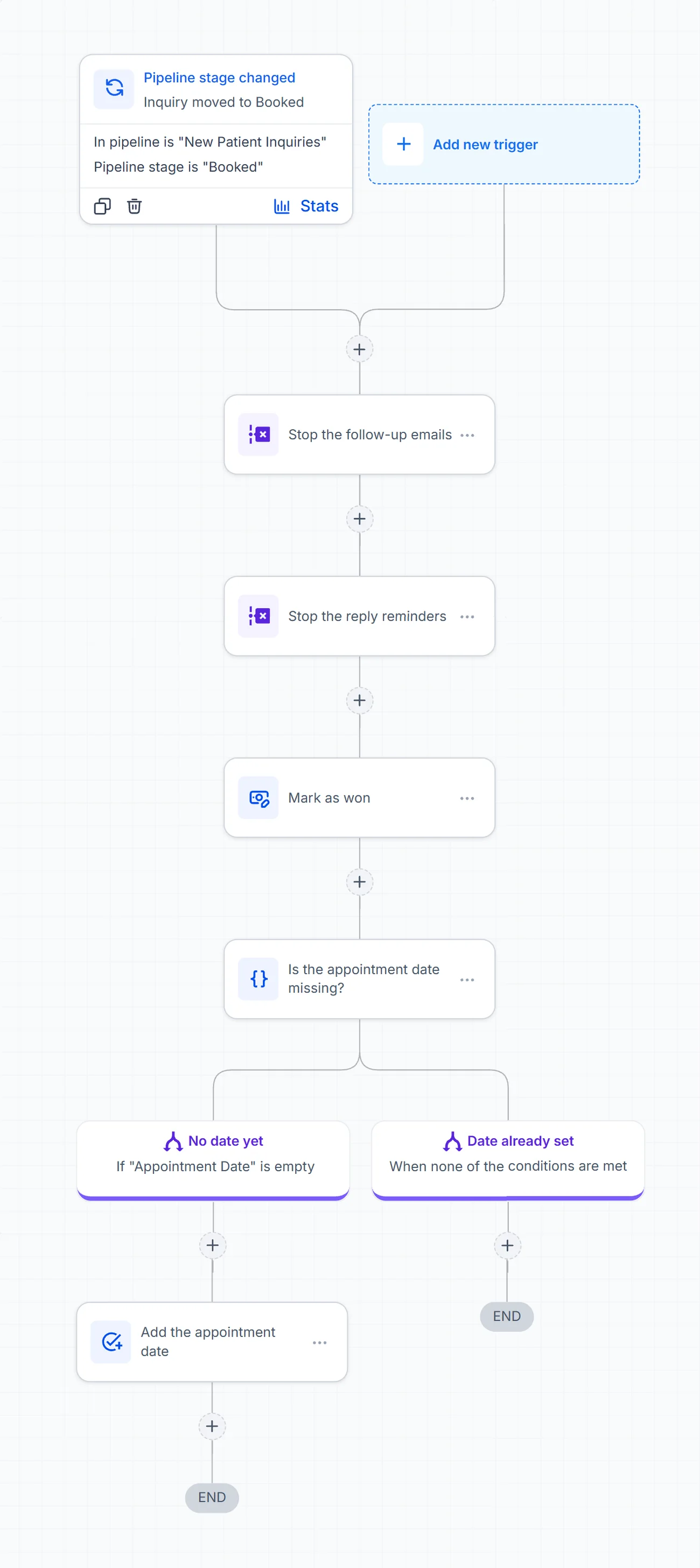
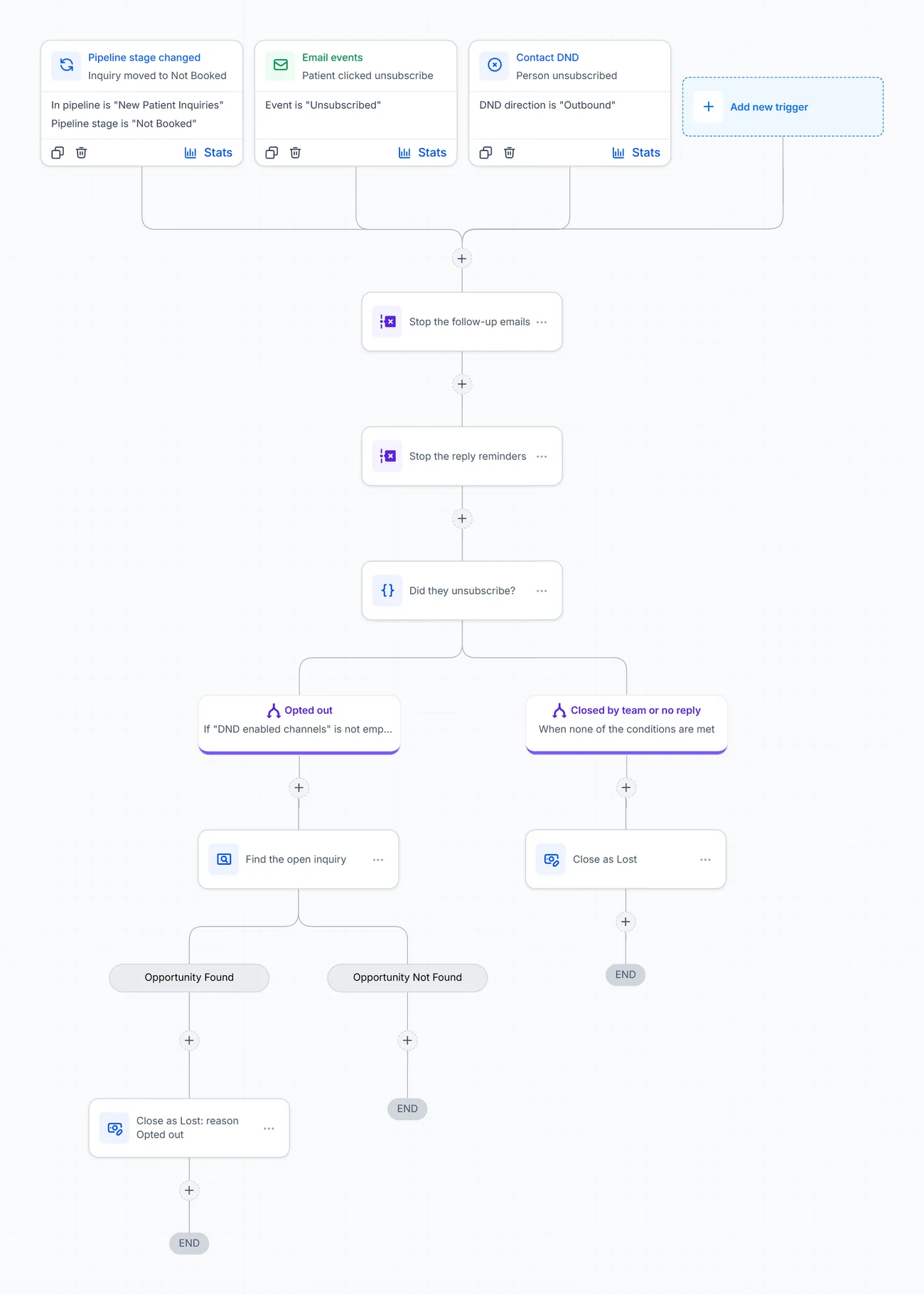
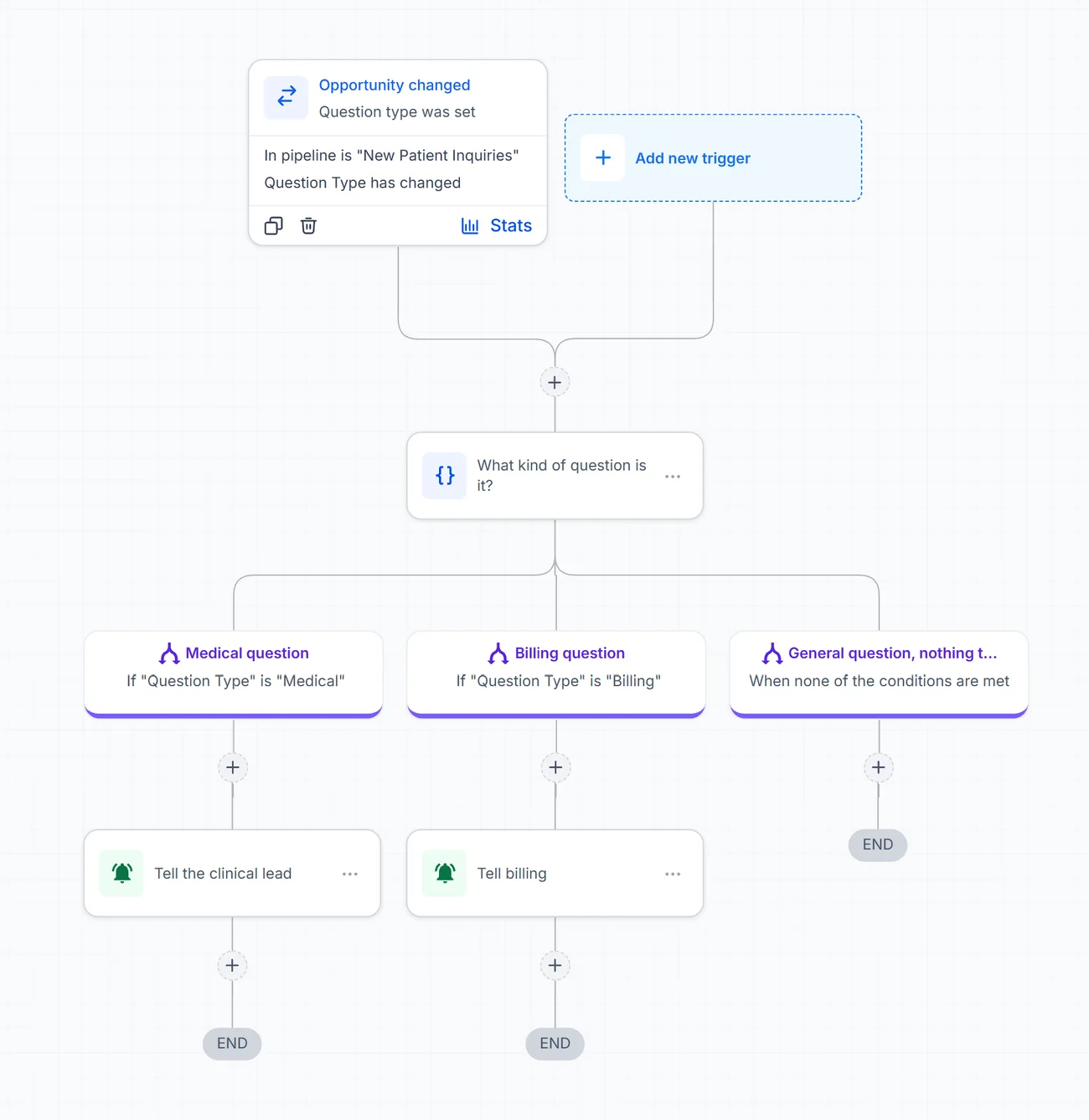
- It ends the right way. Booked is marked won, a current patient is closed without a message, an unsubscribe is respected, and an inquiry with no reply after 16 days is closed as “No response”. Medical questions go to the clinical lead and billing questions to billing; the automation never answers them.
The process map
The board
The automations
Tested before it went live
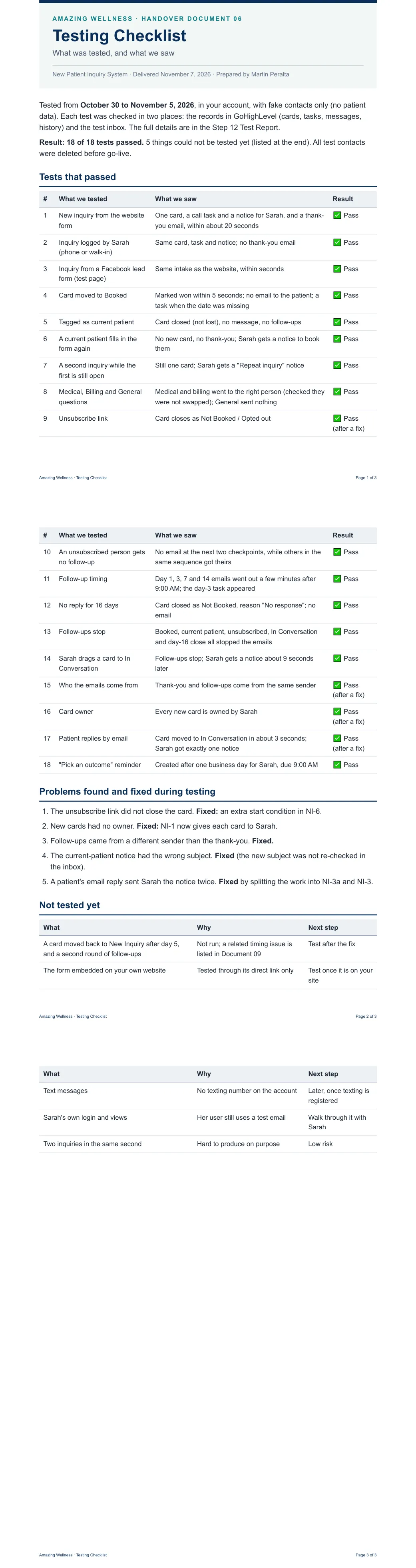
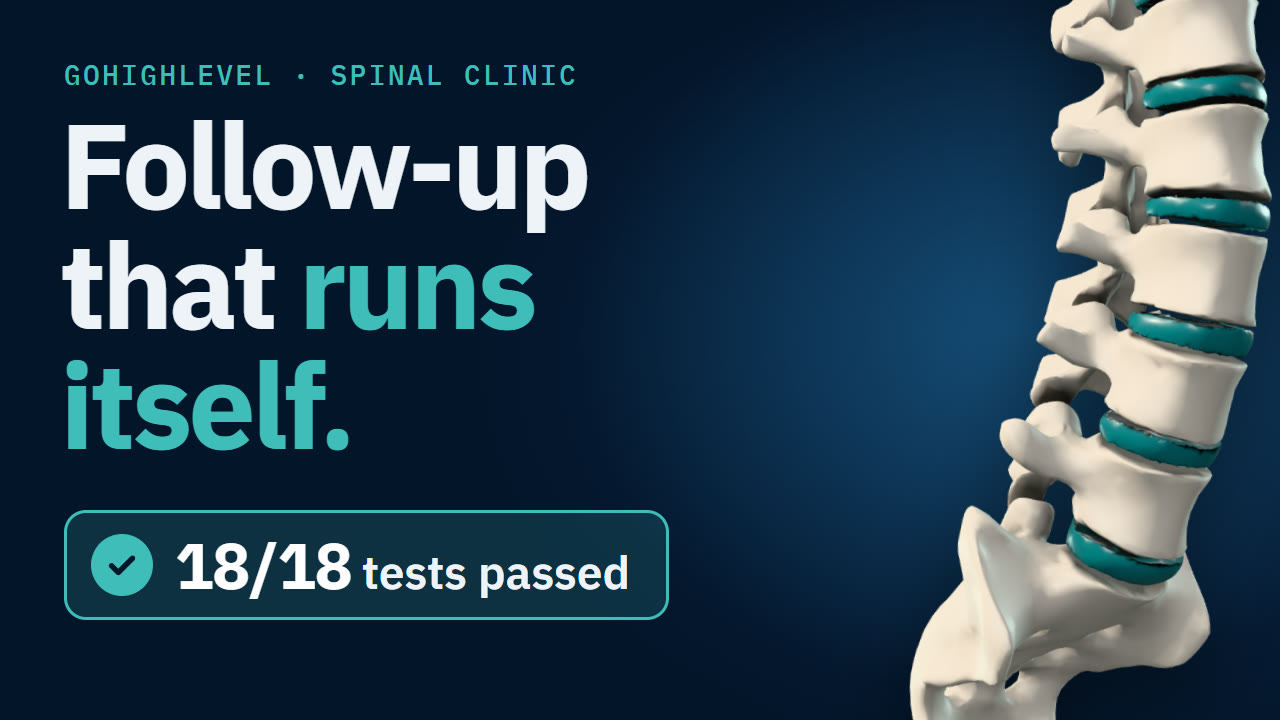
Eighteen scenarios were tested with fake contacts, and all eighteen passed: a new website inquiry, a Facebook lead, a repeat inquiry, a current patient, each follow-up day, a reply by email, a stage move by hand, Booked, medical, billing and general questions, and a contact who unsubscribed and received nothing more. Facebook lead forms were tested with Meta’s own lead testing tool. No ads were run and nothing was spent. Five scenarios that could not be tested yet are listed in the test report with the reason. One gap was flagged to the client: a reply from an address that has no open card does not alert anyone.
Kept out on purpose
There are no text messages, because the clinic has no number registered for texting yet. Booking and reminders stay in the clinic’s practice system, which remains the only sender of reminders and the place for patient records. This system only handles inquiries, from first contact to booked.
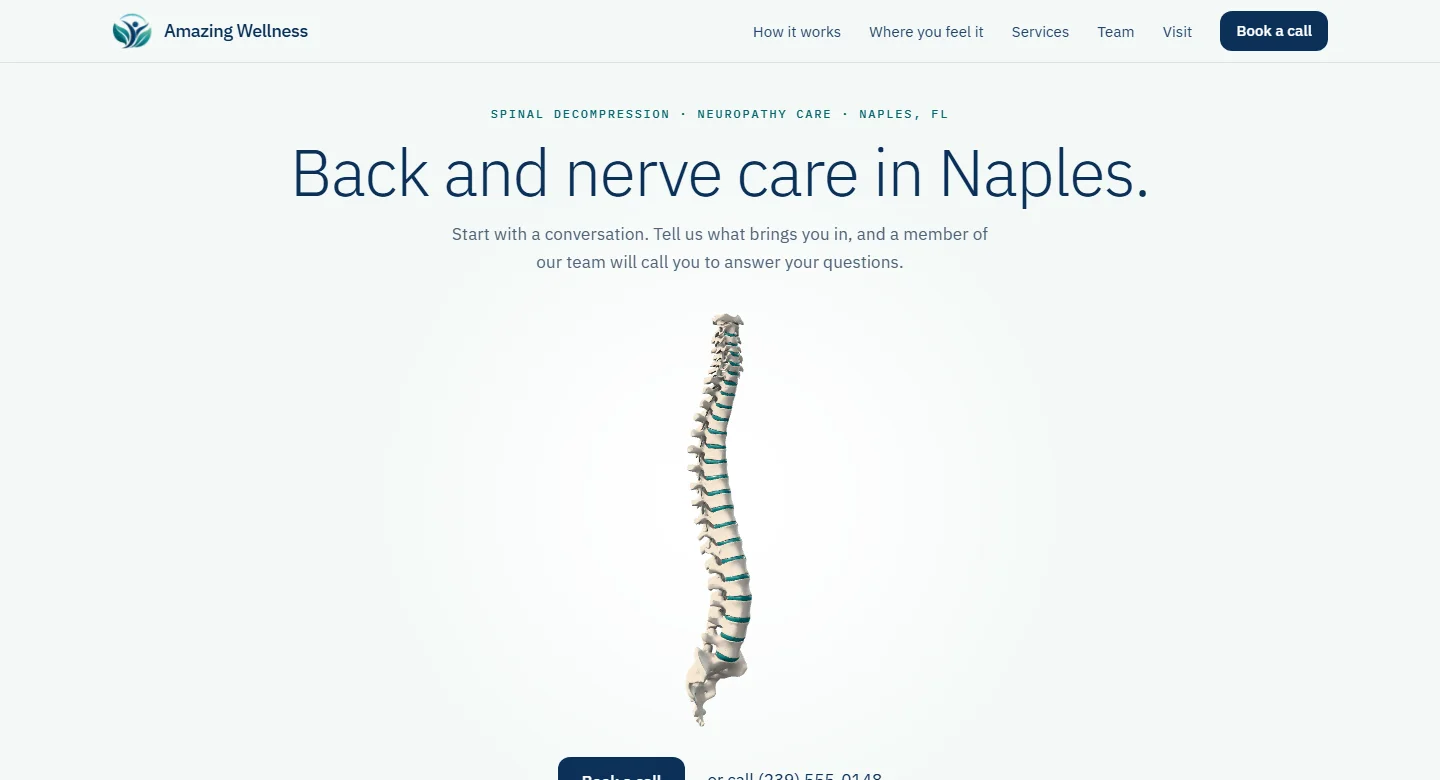
A demo website
Handed over
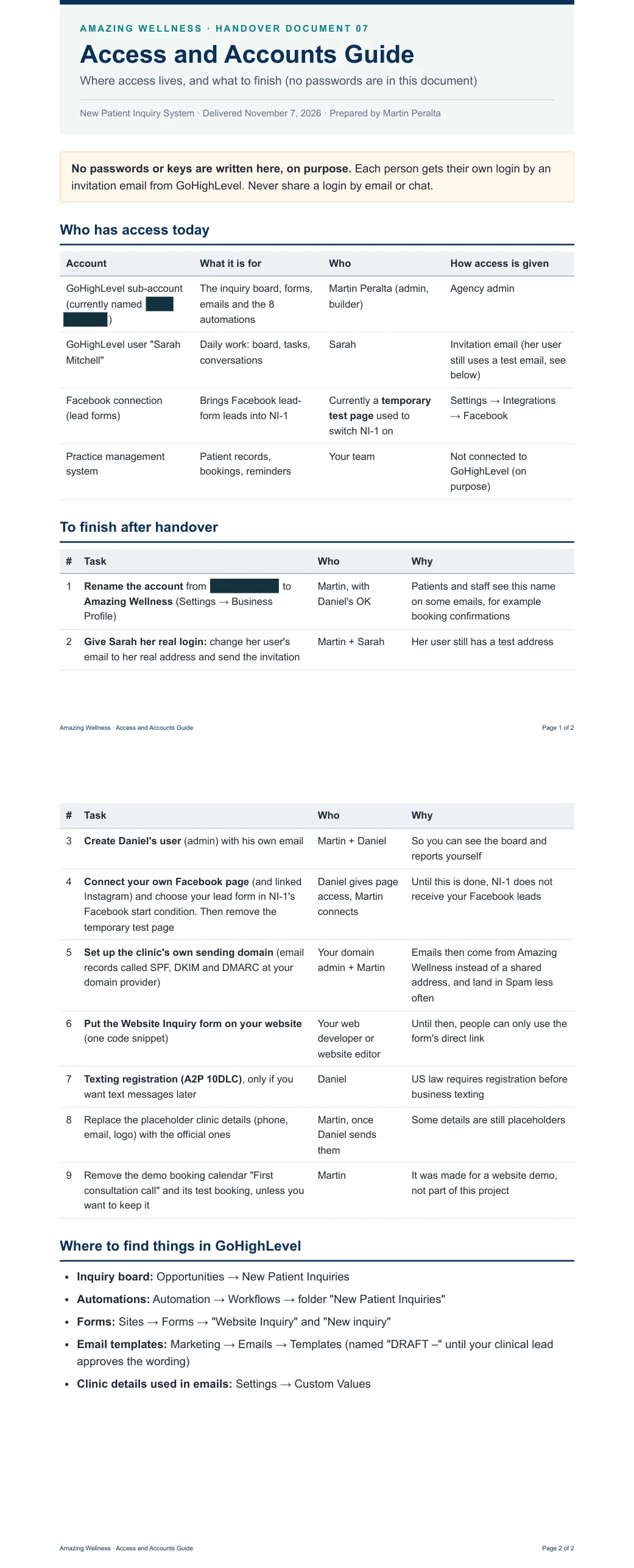
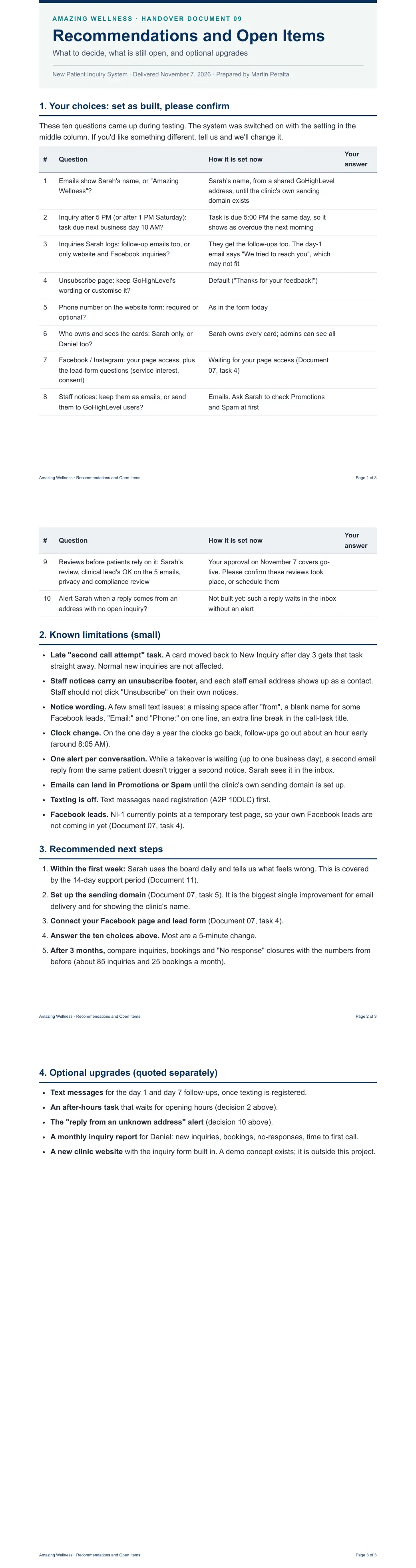
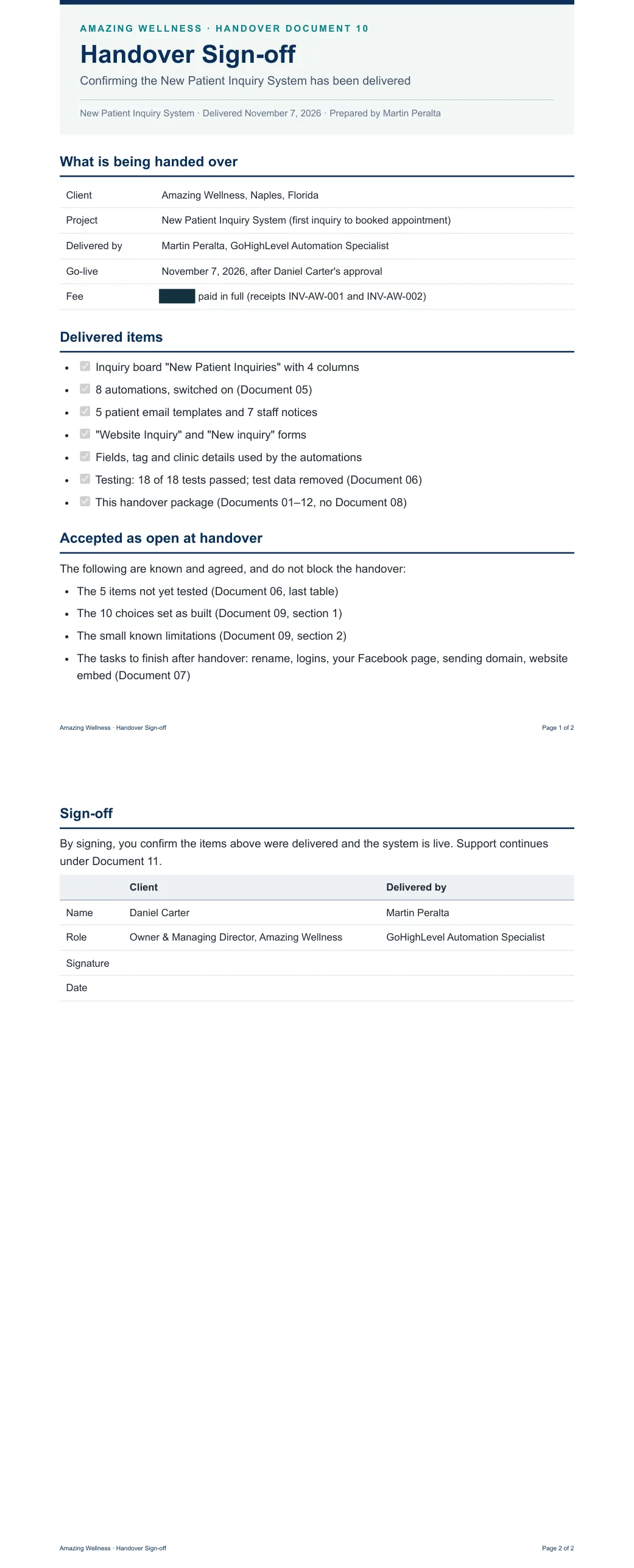
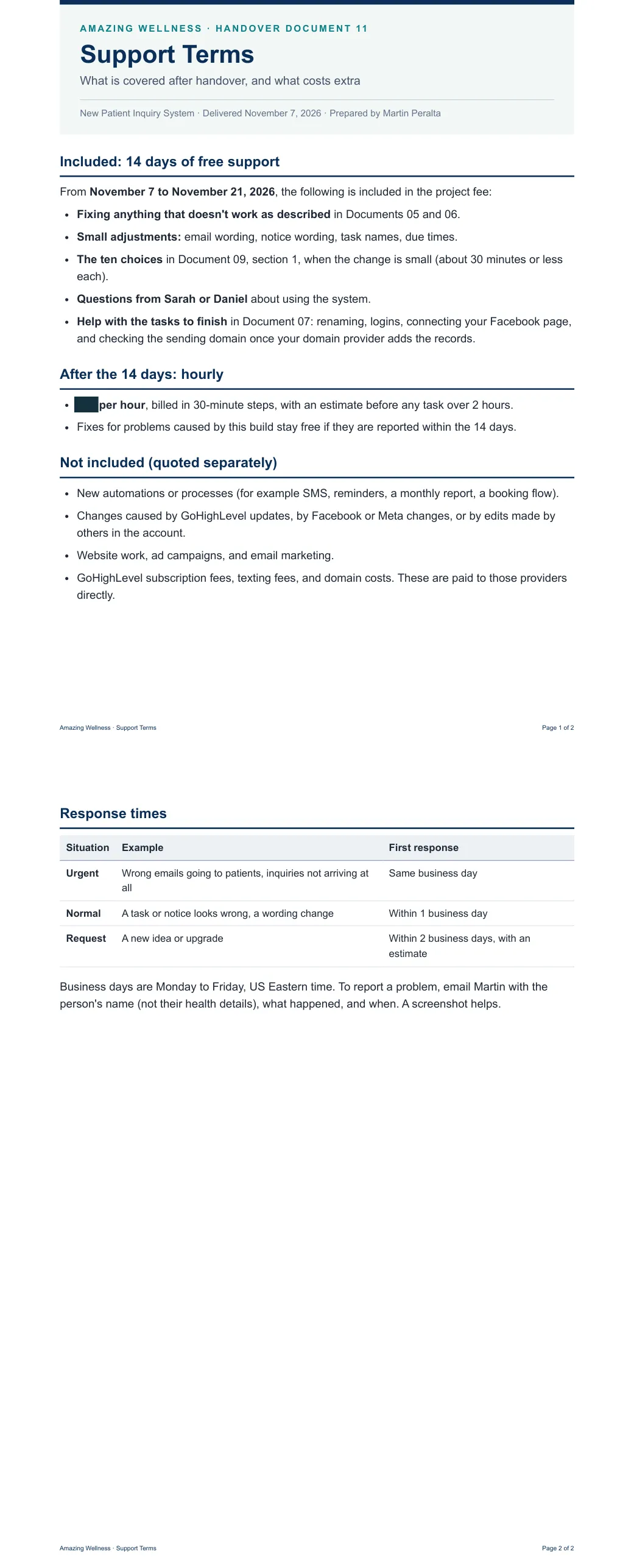
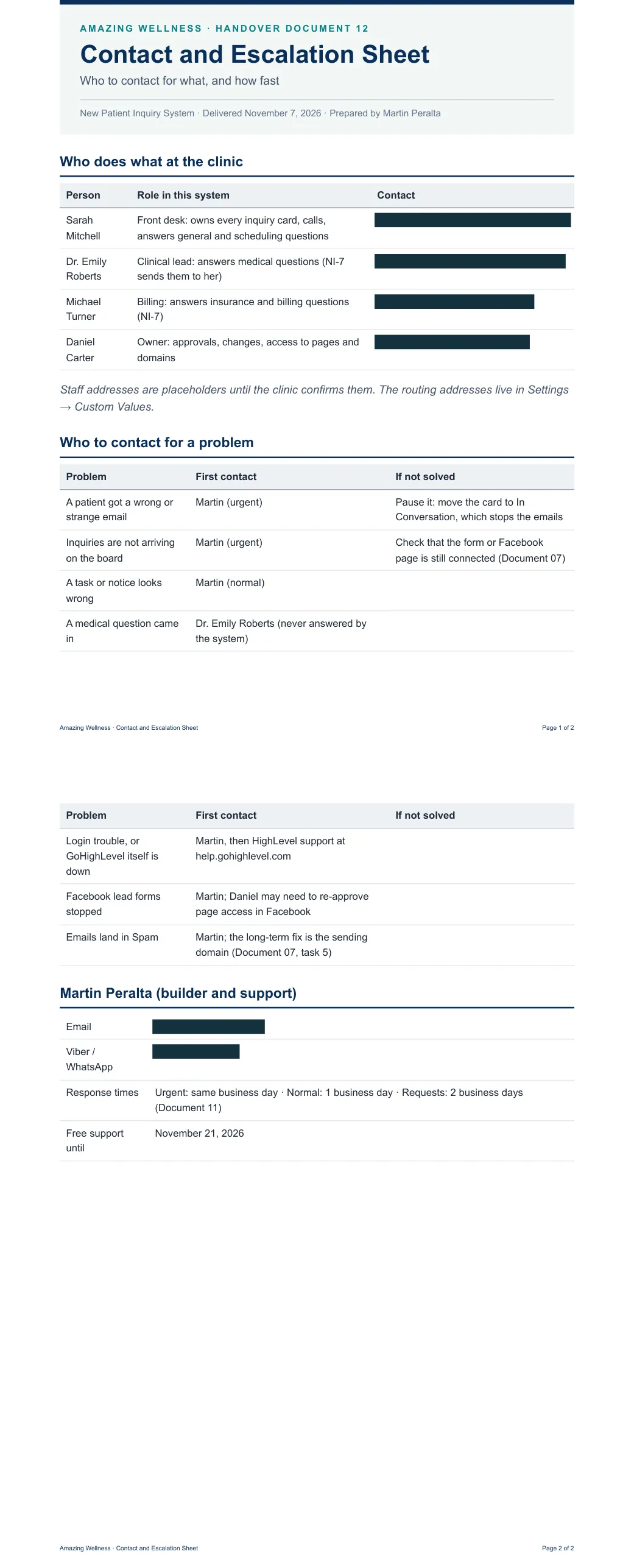
The clinic received a package of eleven documents: a project summary, a business impact summary, a daily guide for the front desk, the system map, what each automation does in plain words, a testing checklist, an access and accounts guide, recommendations and open items, a sign-off, support terms, and a contact and escalation sheet. The system map is above and the other ten are below. Names of accounts, email addresses, phone numbers and prices are covered.