A full GoHighLevel build for a Western Sydney real estate team. Mia, an AI concierge, answers chat and voice enquiries and captures each lead; workflows sort it into buyer or seller, open a deal in the right pipeline, tag it hot, warm or nurture by its score, and move the deal forward when a consultation or appraisal is booked.
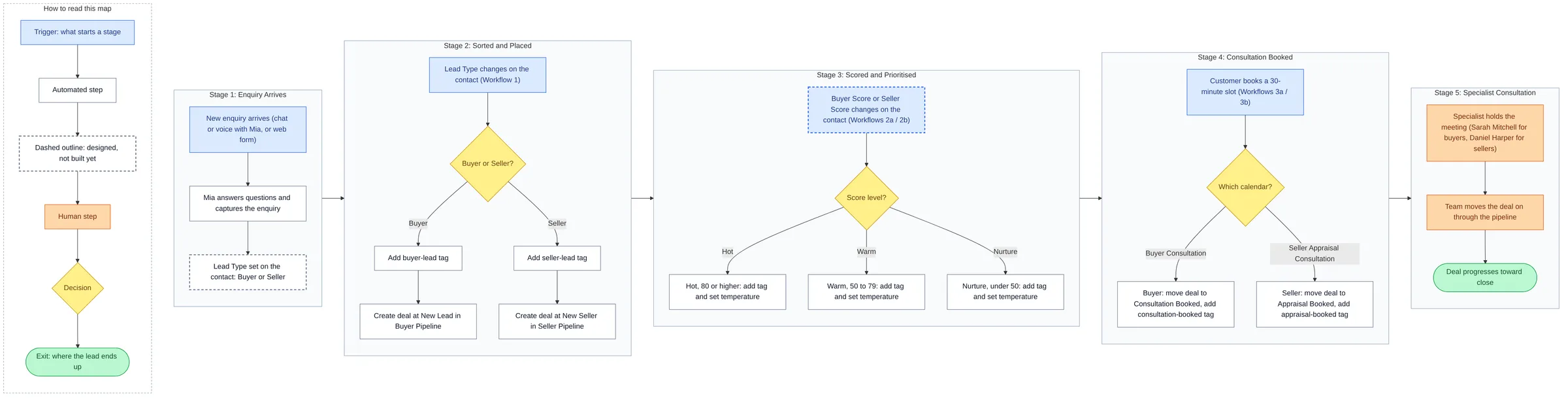
An enquiry arrives. A buyer or seller talks to Mia, the AI concierge, by chat or voice, or fills in the form on the website. Mia answers their questions and captures the enquiry.
It is sorted and placed. The contact's Lead Type is set to buyer or seller, and Workflow 1 picks up the change: a buyer or seller tag, and a new deal in their own pipeline.
It is scored and prioritised. When the contact's Buyer Score or Seller Score changes, Workflow 2a or 2b tags the lead hot (80 and up), warm (50 to 79) or nurture (under 50) and sets its temperature, so the team knows who to call first.
A consultation is booked. The lead books a 30-minute slot, a buyer consultation or a seller appraisal. The deal moves to the matching stage, gets a booking tag, and the customer gets an email.
A specialist takes the meeting. The buyer specialist or the seller specialist holds the consultation, and the team moves the deal through the pipeline to settlement.
5GHL workflows
2booking calendars
2pipelines, 19 stages
2websites
15tags
The process map
01The whole system on one page. Five stages, left to right: the enquiry arrives, it is sorted into buyer or seller, scored and prioritised, the consultation is booked, and a specialist takes the meeting. Blue boxes are triggers, yellow diamonds are decisions, orange boxes are the steps a person owns, and green ovals are where the lead ends up.
02The custom-coded website. A price-estimate form sits in the hero, followed by recent sales, suburb guides with median prices, the five-step selling process, this Saturday's open homes, a map of what is near each listing, the team and Mia, a booking calendar wired to GHL, and a two-step valuation form.
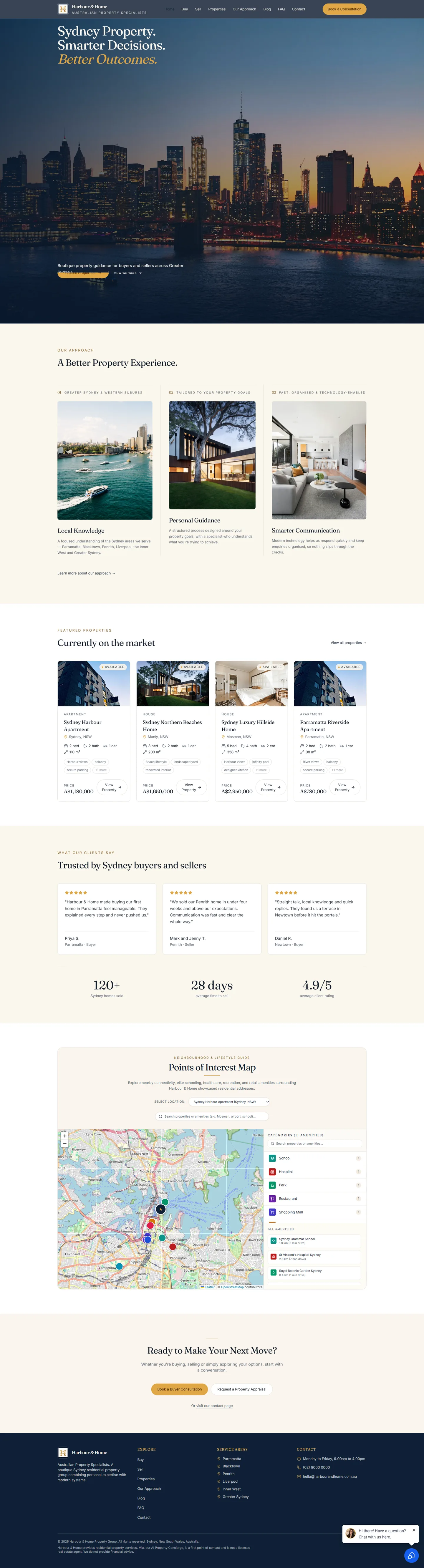
03A second site, built in GHL's AI Studio. Made inside the CRM: listings, client testimonials, a points-of-interest map, buyer and seller booking buttons, and Mia's chat widget in the corner.
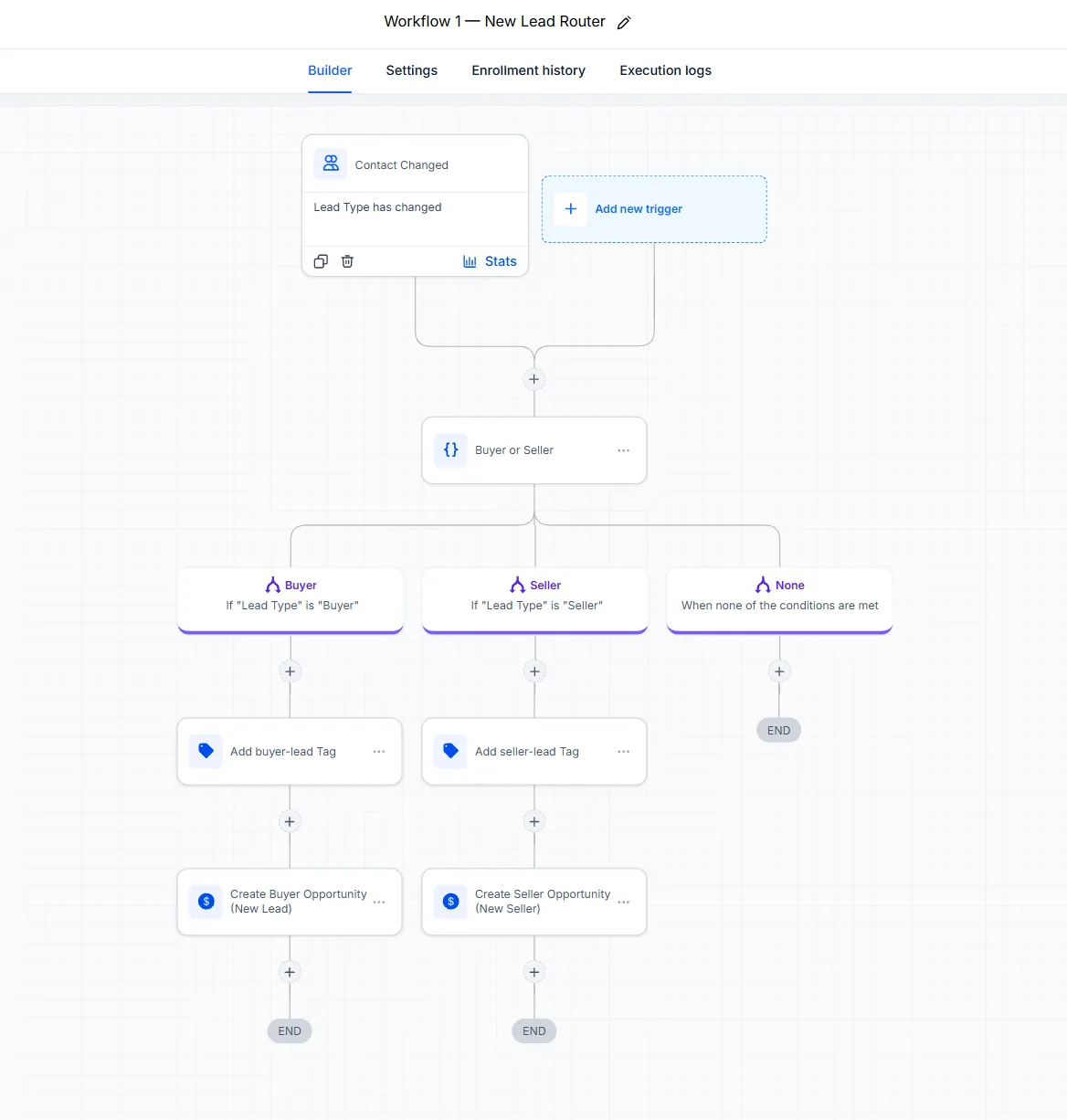
04Workflow 1, New Lead Router. When a contact's Lead Type changes, this workflow branches on it. A buyer gets the buyer-lead tag and a deal at New Lead in the Buyer Pipeline; a seller gets the seller-lead tag and a deal at New Seller in the Seller Pipeline.
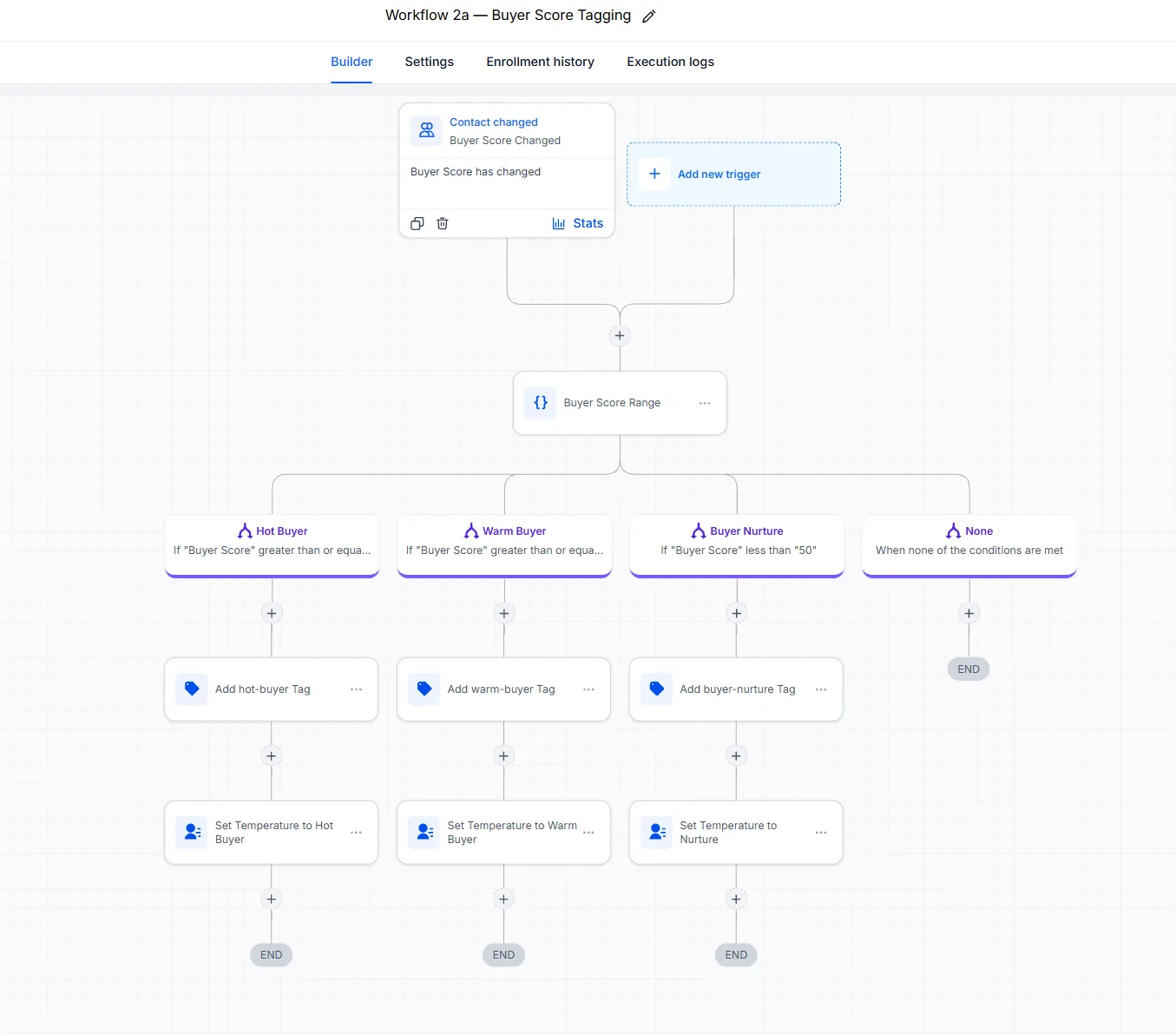
05Workflow 2a, Buyer Score Tagging. When the Buyer Score changes, the lead is sorted by range: 80 and up is a hot buyer, 50 to 79 a warm buyer, and under 50 goes to nurture. Each branch adds its tag and sets the contact's temperature.
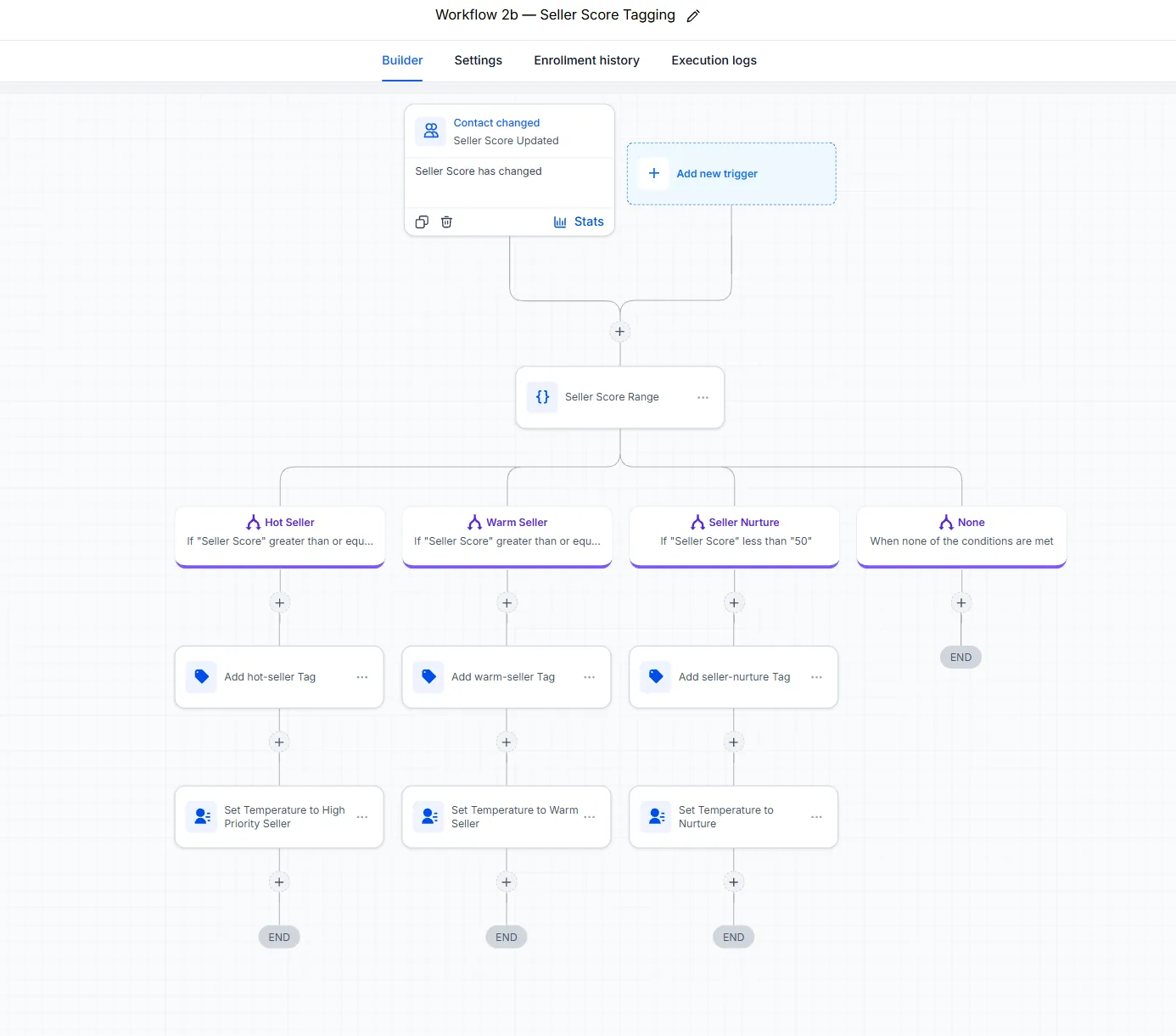
06Workflow 2b, Seller Score Tagging. The same three ranges for sellers, each ending in a hot, warm or nurture tag. A hot seller is marked high priority.
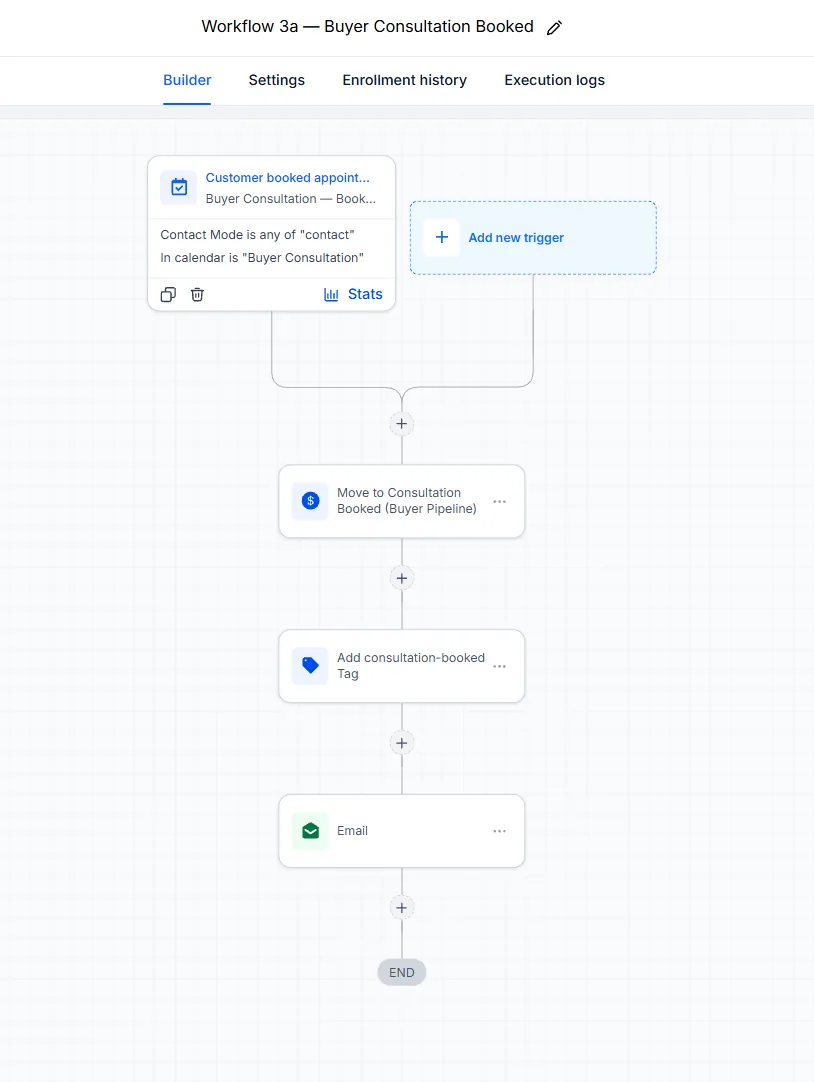
07Workflow 3a, Buyer Consultation Booked. A booking on the Buyer Consultation calendar moves the deal to Consultation Booked, adds the consultation-booked tag, and emails the buyer.
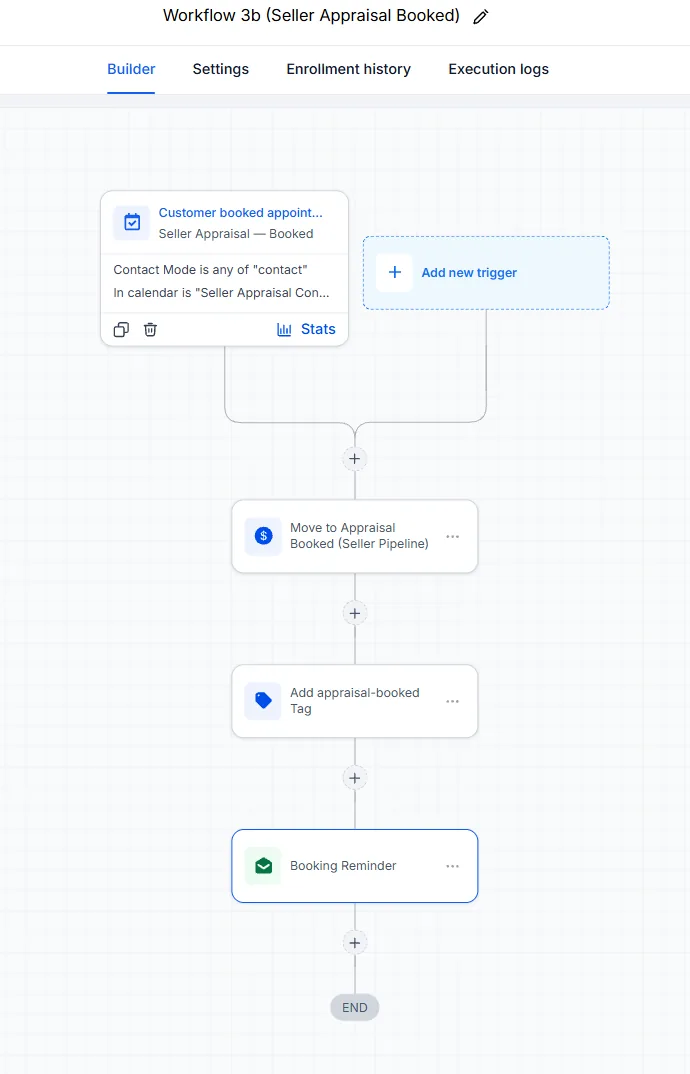
08Workflow 3b, Seller Appraisal Booked. A booking on the Seller Appraisal calendar moves the deal to Appraisal Booked, adds the appraisal-booked tag, and sends a booking reminder.
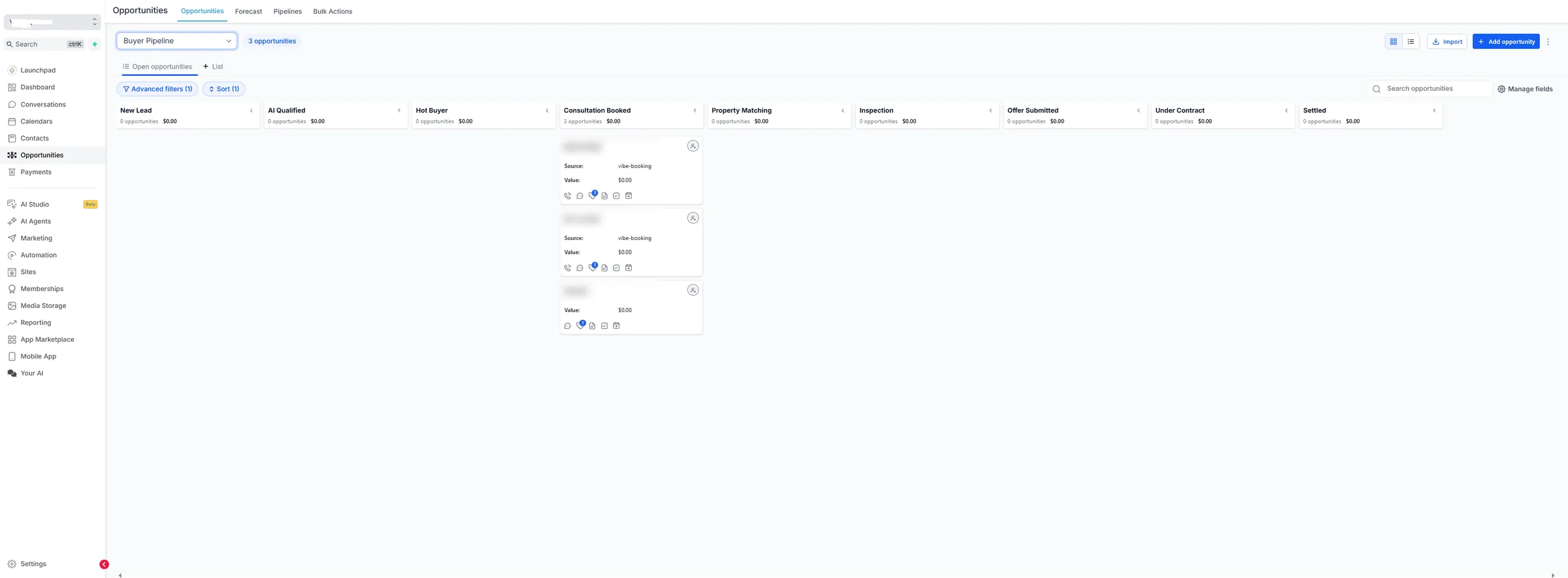
09The Buyer Pipeline. Nine stages: New Lead, AI Qualified, Hot Buyer, Consultation Booked, Property Matching, Inspection, Offer Submitted, Under Contract and Settled. Three bookings sit at Consultation Booked; their names are blurred.
10The Seller Pipeline. Ten stages: New Seller, AI Qualified, Appraisal Requested, Appraisal Booked, Listing Proposal, Listing Agreement, Property Listed, Offer Received, Under Contract and Settled.
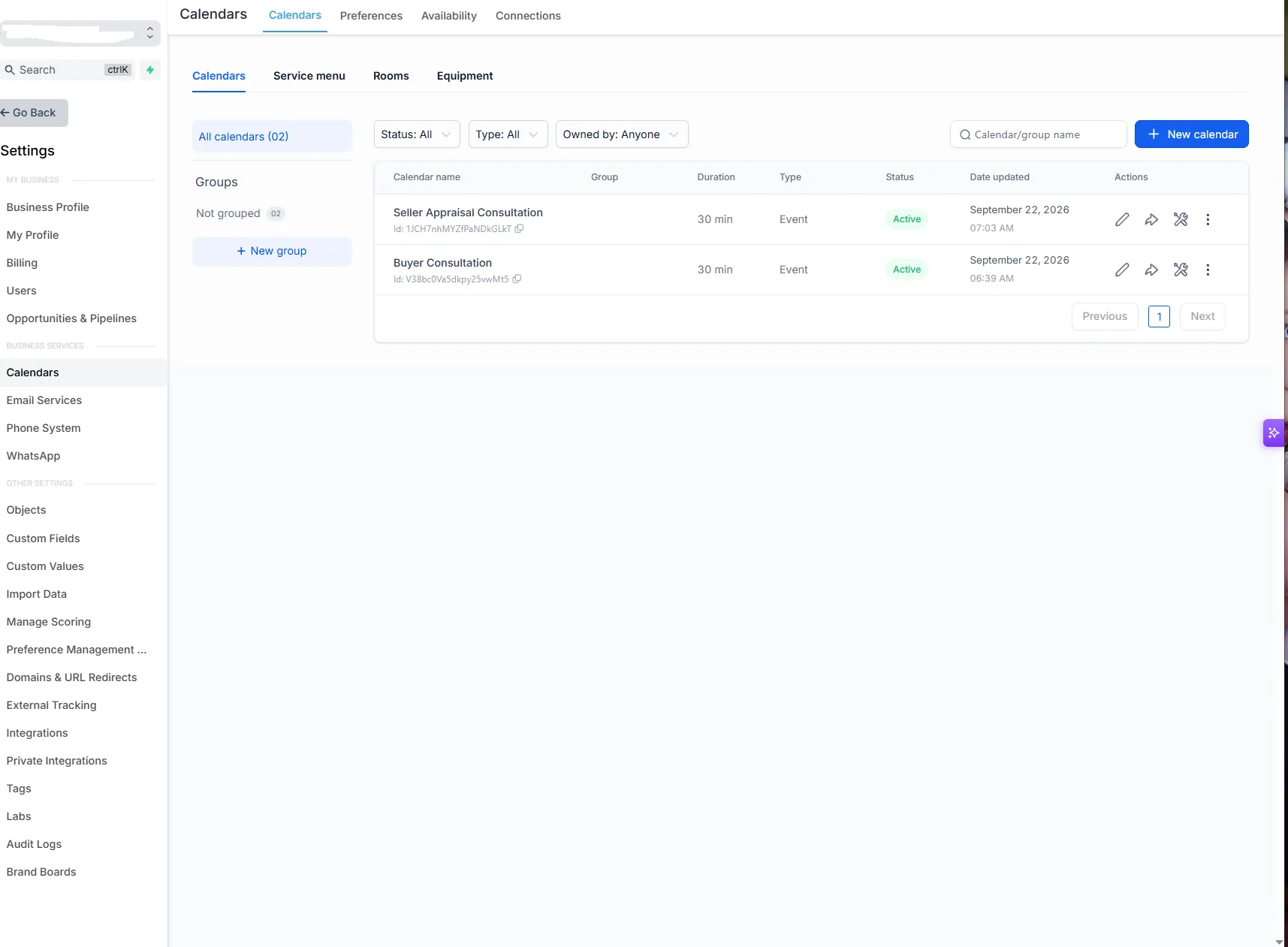
11Two booking calendars. Buyer Consultation and Seller Appraisal Consultation, 30 minutes each. Each one triggers its own workflow, so a booking moves the right deal in the right pipeline.
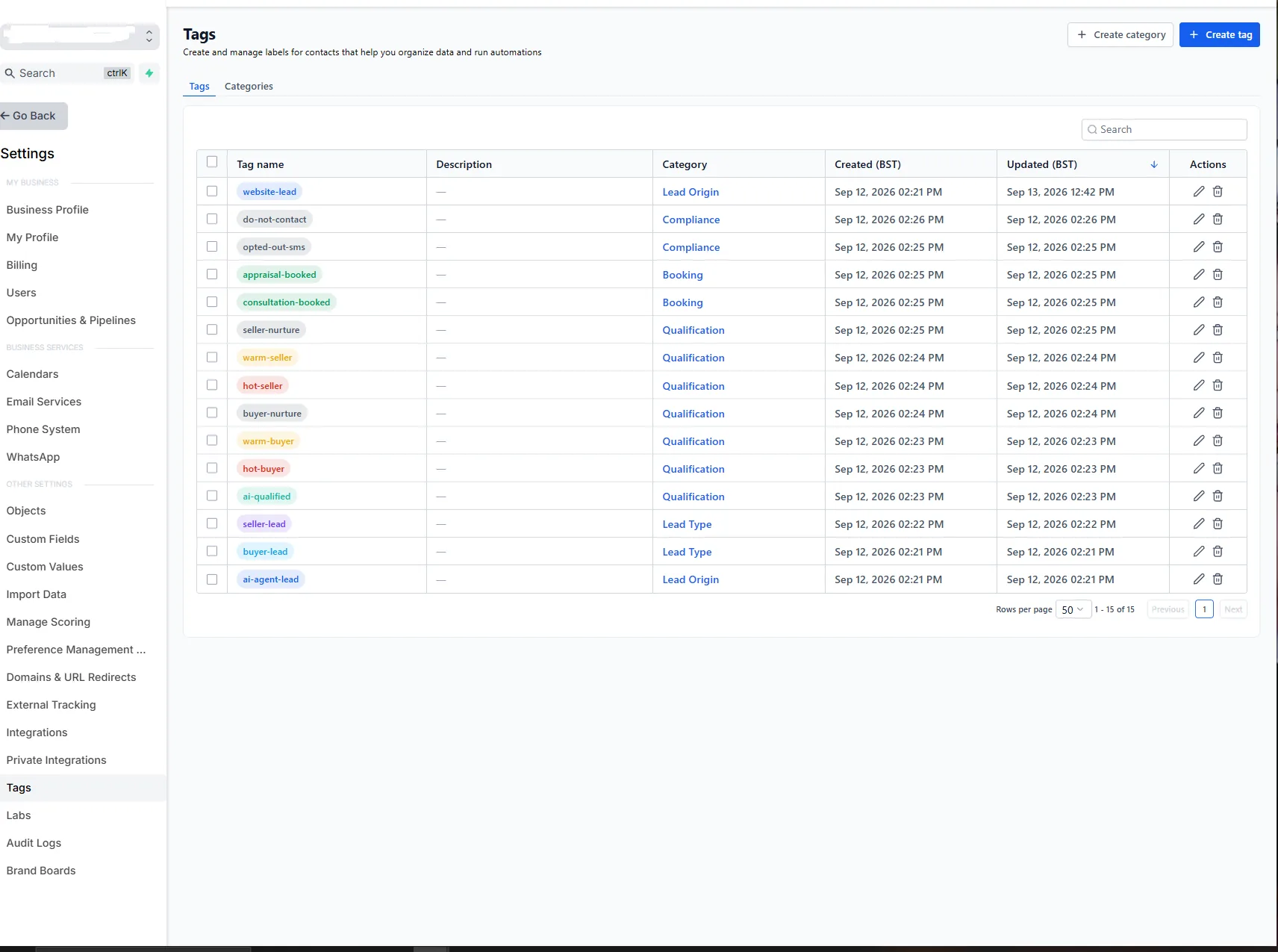
12Fifteen tags in five categories. Lead origin (website or AI agent), lead type (buyer or seller), qualification (AI-qualified, plus hot, warm and nurture for each side), booking, and compliance (do-not-contact and opted-out-sms).